
Redesigning Brilliant.org so learners keep coming back.
SCROLL
Redesigning Brilliant.org so higher-education learners keep coming back to practise STEM.
- Date
- January 2025
- Category
- User Experience Design
- Team
- Qiling Chen, Noa Heilveil, Heer Patel
- Duration
- 10 weeks
My role
I guided the team from research to a tested redesign, turning interview insights into the priorities that shaped every iteration.
- Research synthesis & strategy
- Framework & interaction design
- Low- to high-fidelity prototyping
Vision
What if a Brilliant.org student could stay consistently engaged?
Research
Learners want engaging ways to close their STEM gaps.
Our audience: students in higher education actively trying to fill accumulated knowledge gaps.
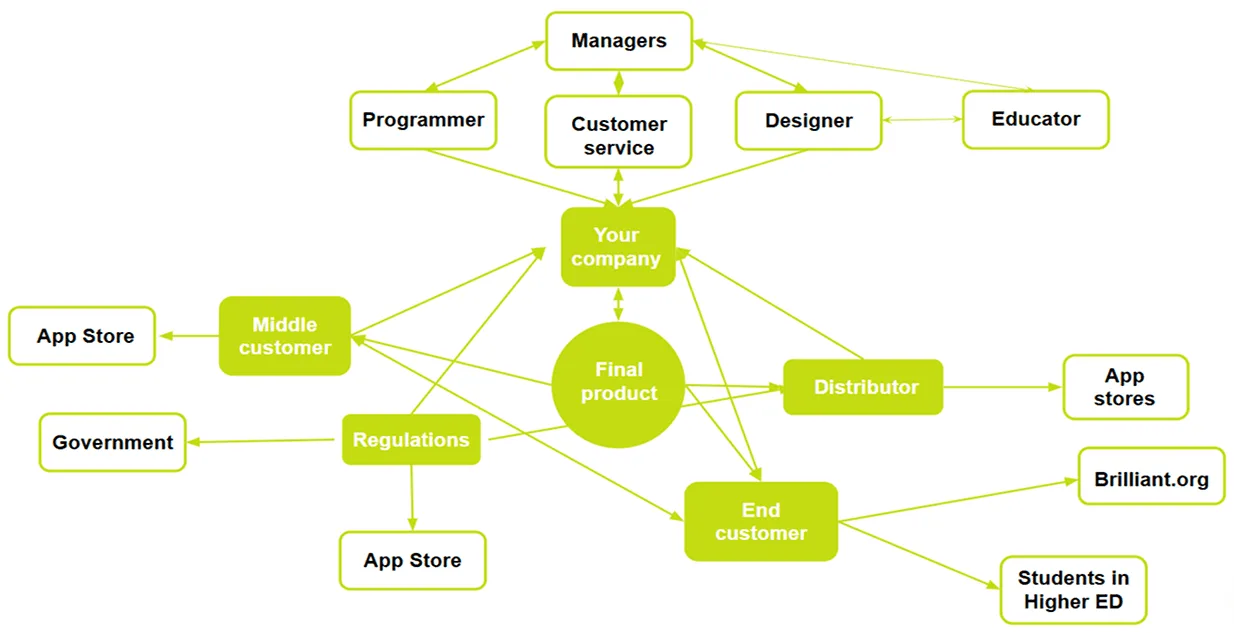
Stakeholders and touchpoints across the product journey.
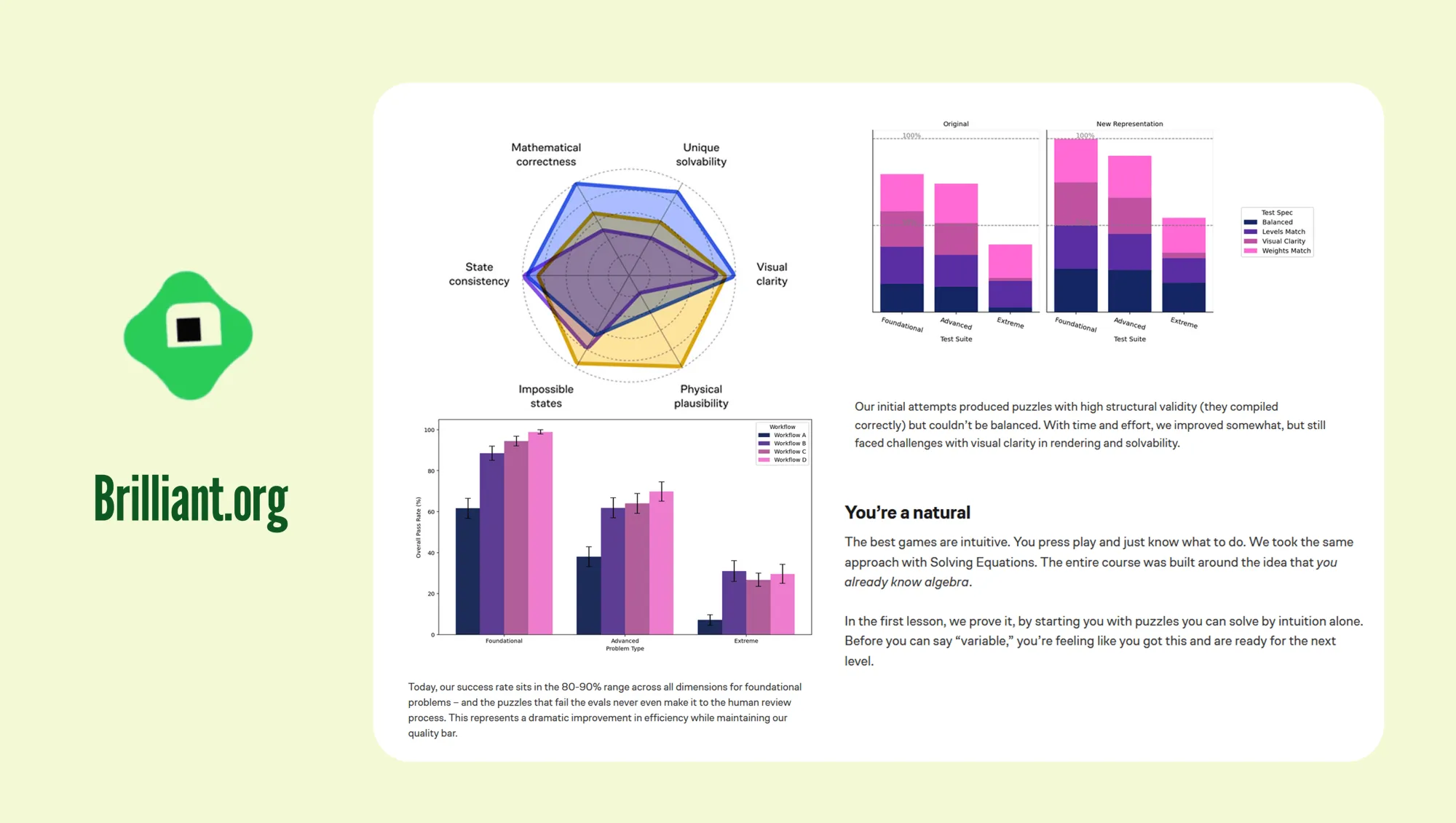
Learning puzzles need a balance between clarity and solvability.
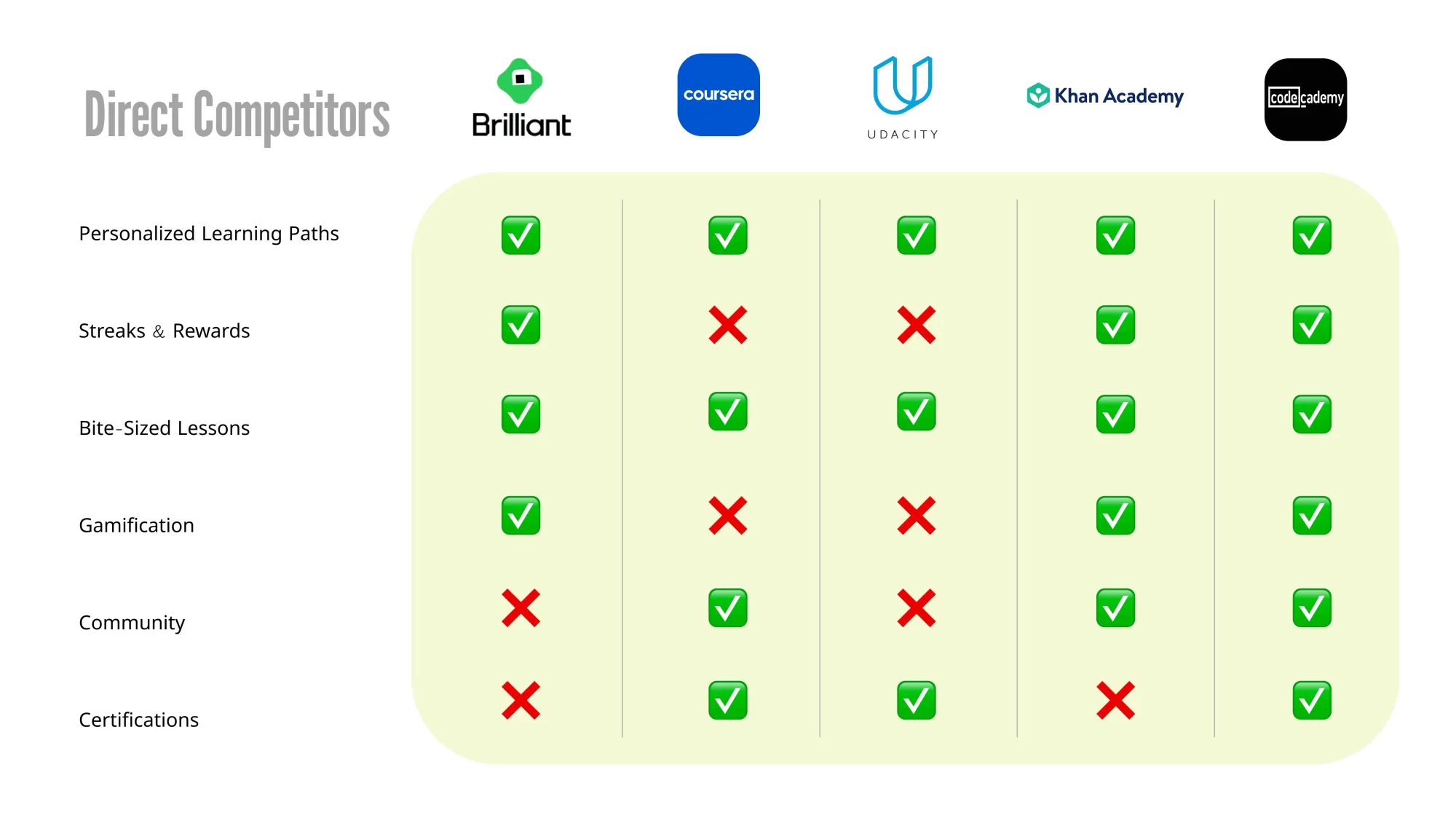
Coursera, Udacity, Khan Academy and MasterClass compared on six learning features.
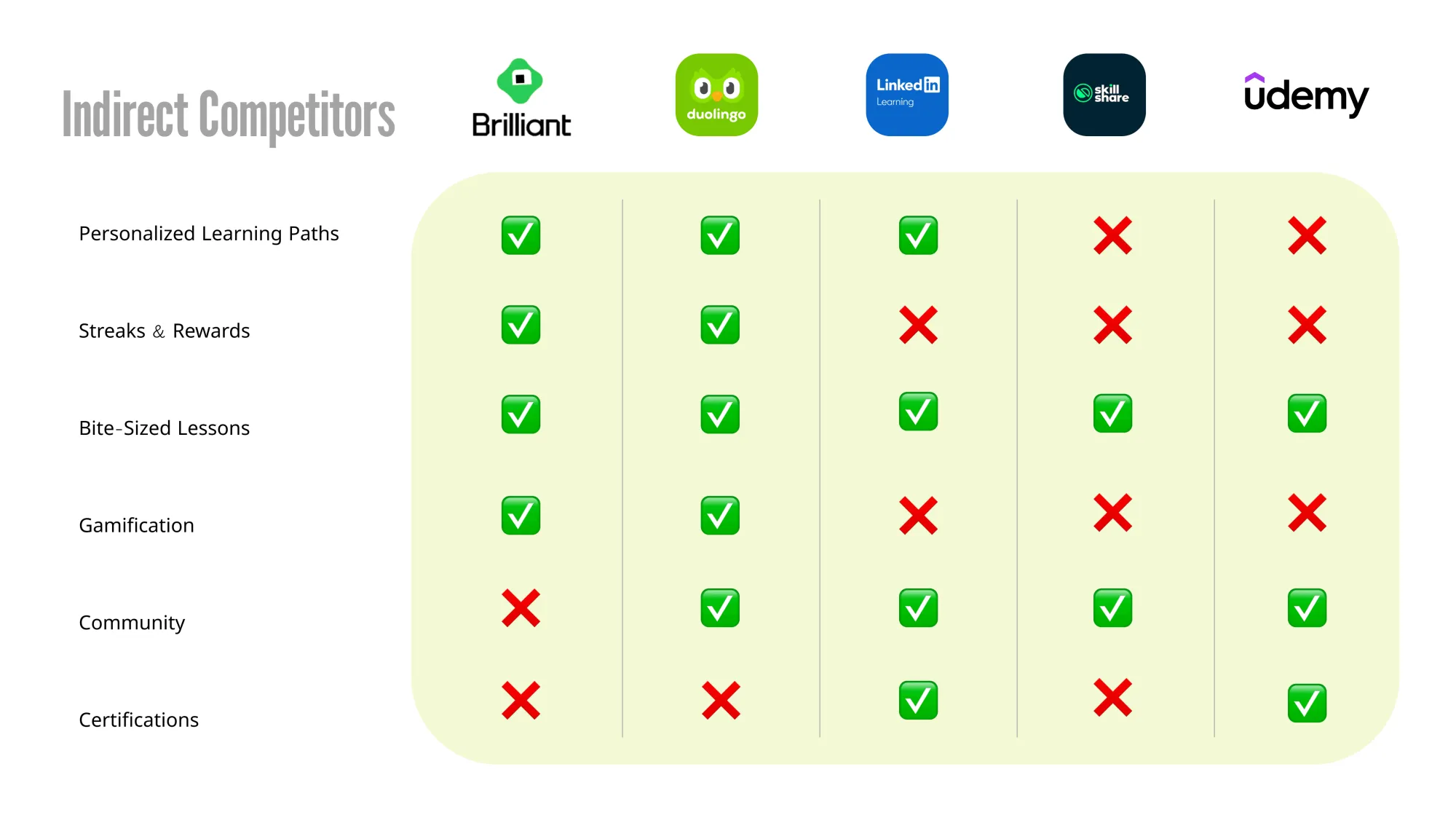
Duolingo, LinkedIn Learning and Udemy compared on the same features.
Interviews
Engagement and retention came up most.
Mentions per theme
Feasibility priority
- ARetention
- BGuidance
- CClarity
- DValidation
Retention was both frequent and feasible, so it became the focus of the redesign.
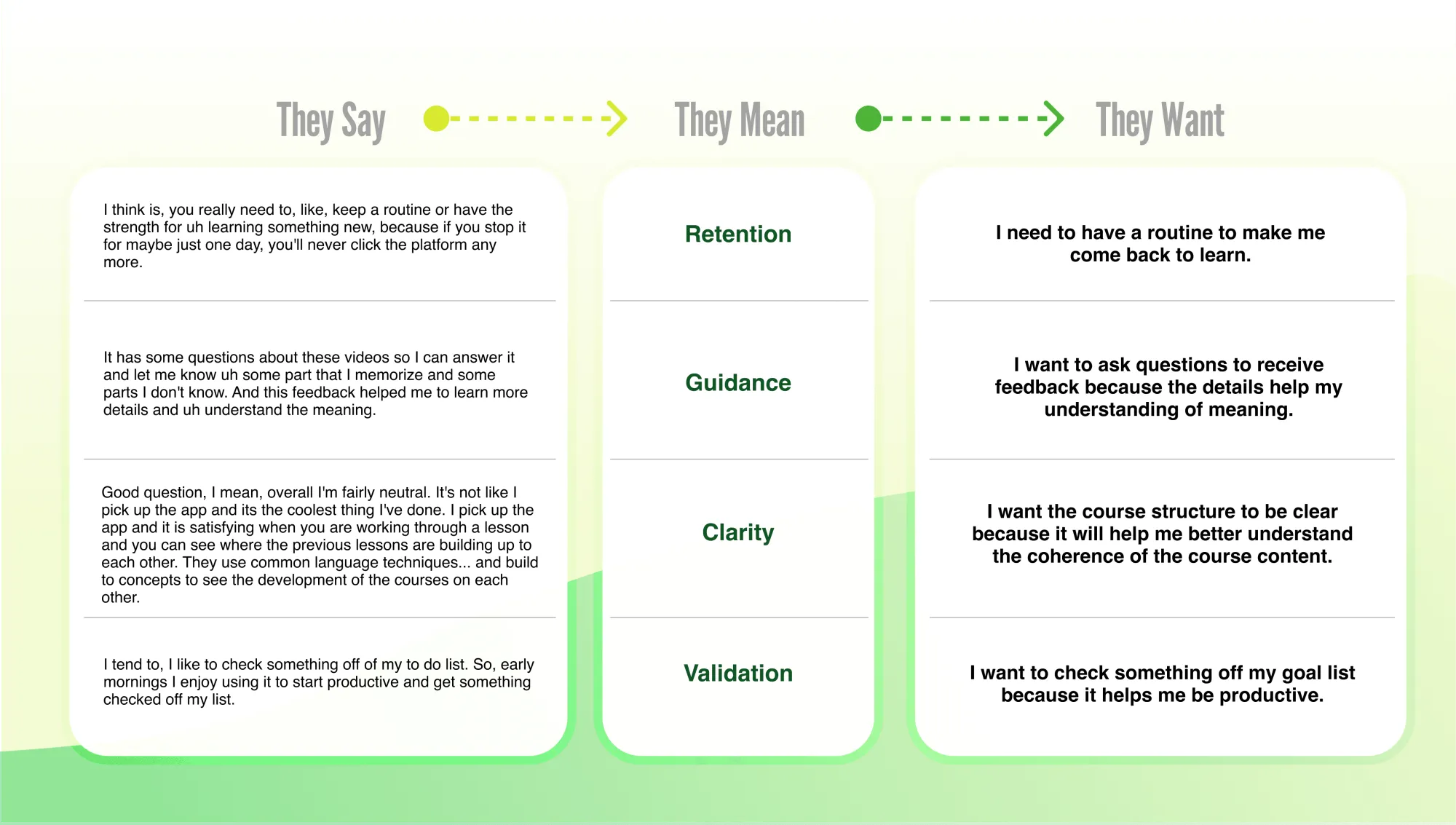
03 In their own words
What learners told us they want.
Learner · RetentionLearner · GuidanceLearner · ClarityLearner · Validation
“I need to have a routine to make me come back to learn.”
“I want to ask questions to receive feedback because the details help my understanding of meaning.”
“I want the course structure to be clear because it will help me better understand the coherence of the course content.”
“I want to check something off my goal list because it helps me be productive.”
Ideation & iteration
From ideas to a tested flow, step by step.
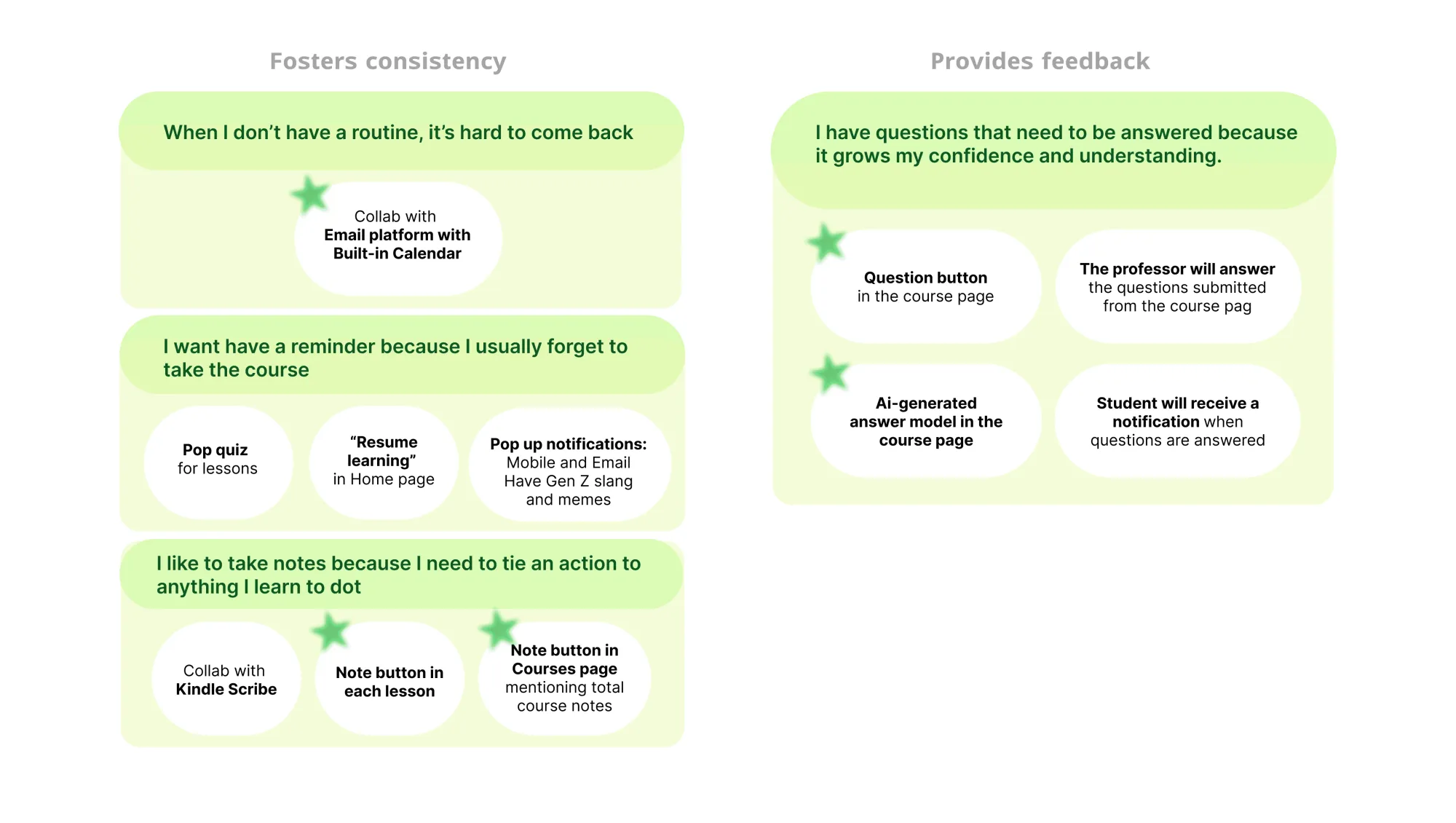
Ideas for building consistency and giving feedback.
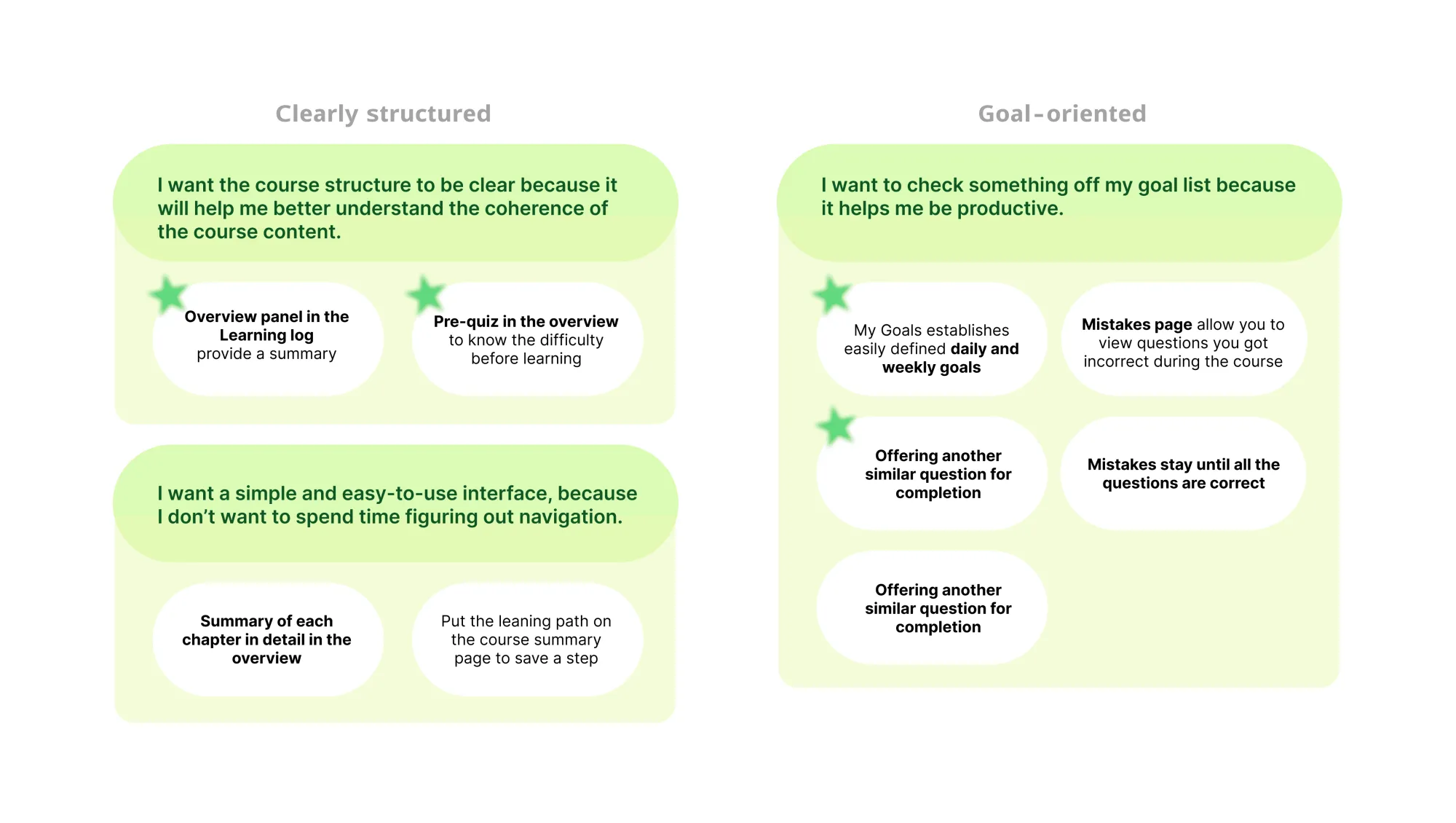
Ideas for clearer structure and goal-oriented learning.
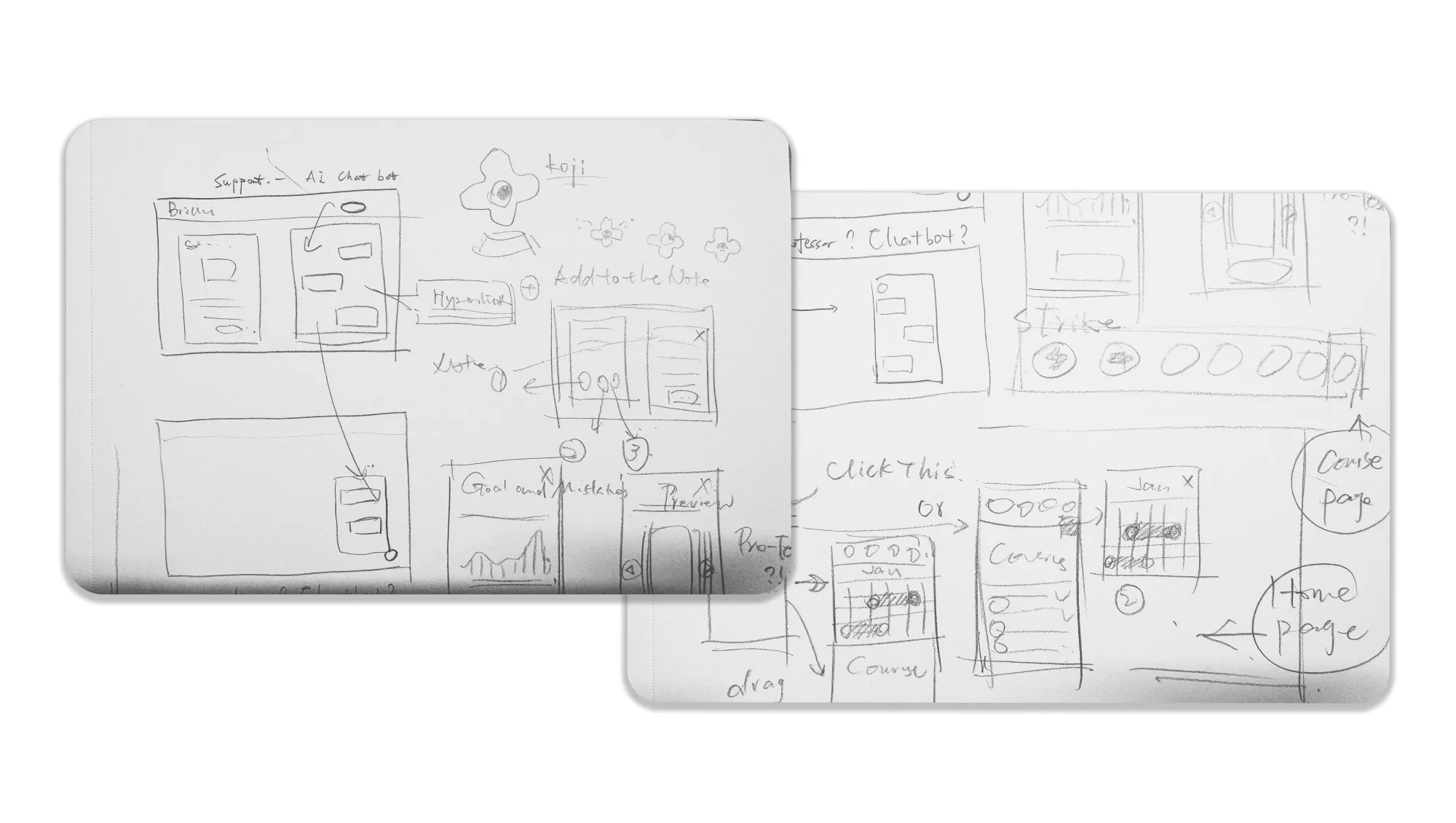
Early sketches of the interface and learning flow.
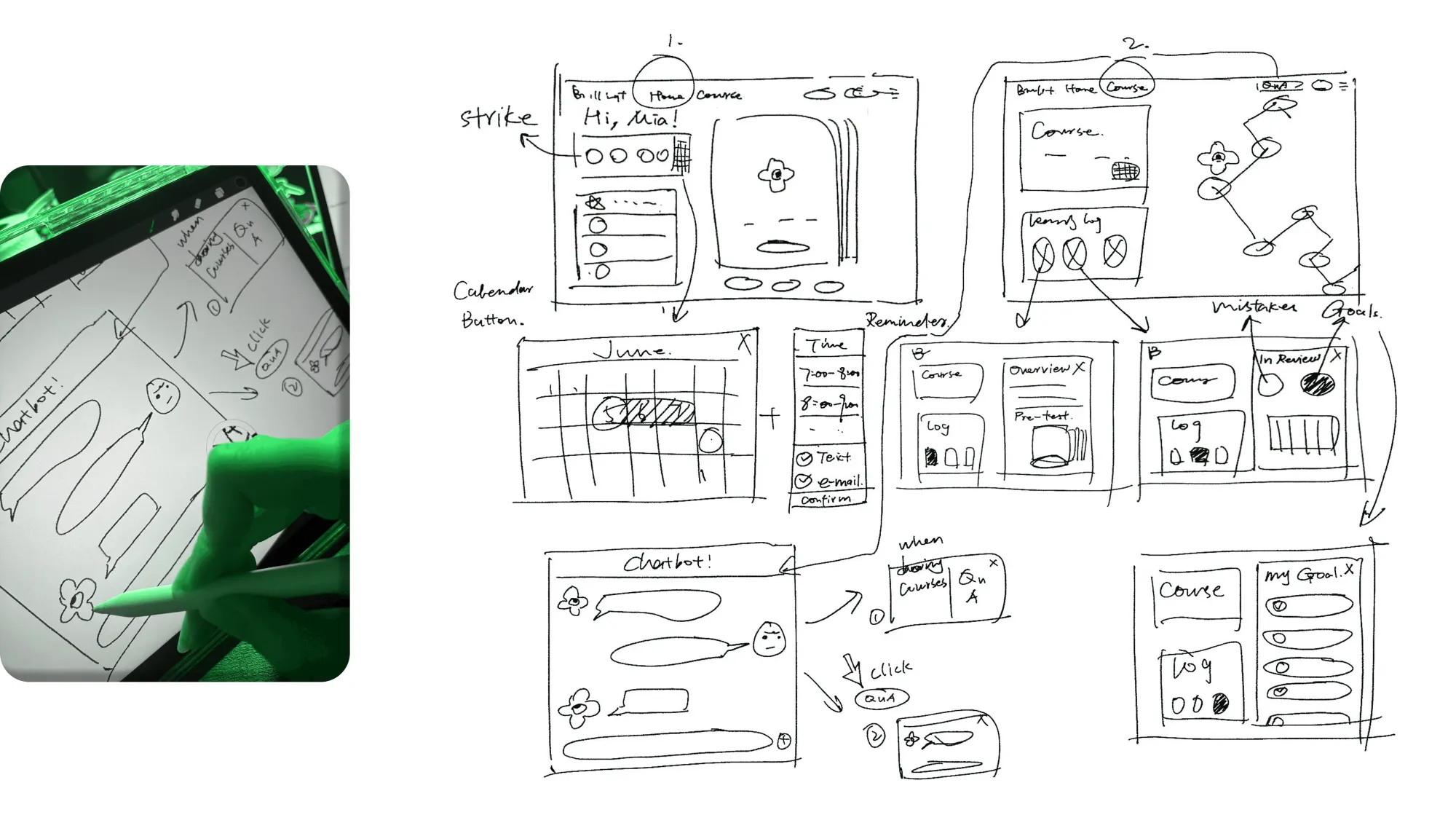
Low-fi prototypes tested the basic structure and flow.
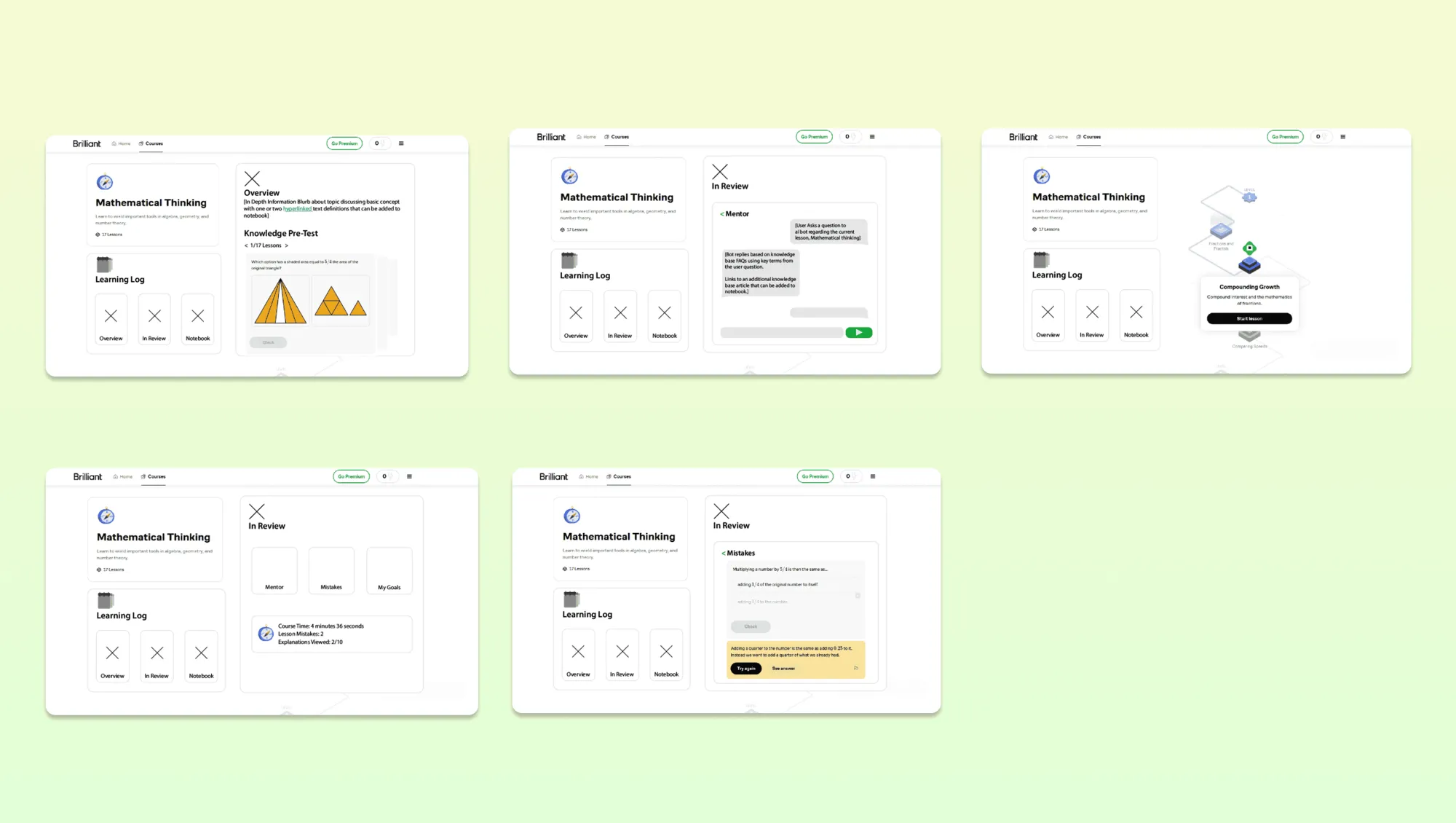
Mid-fi prototypes refined layout and interaction.
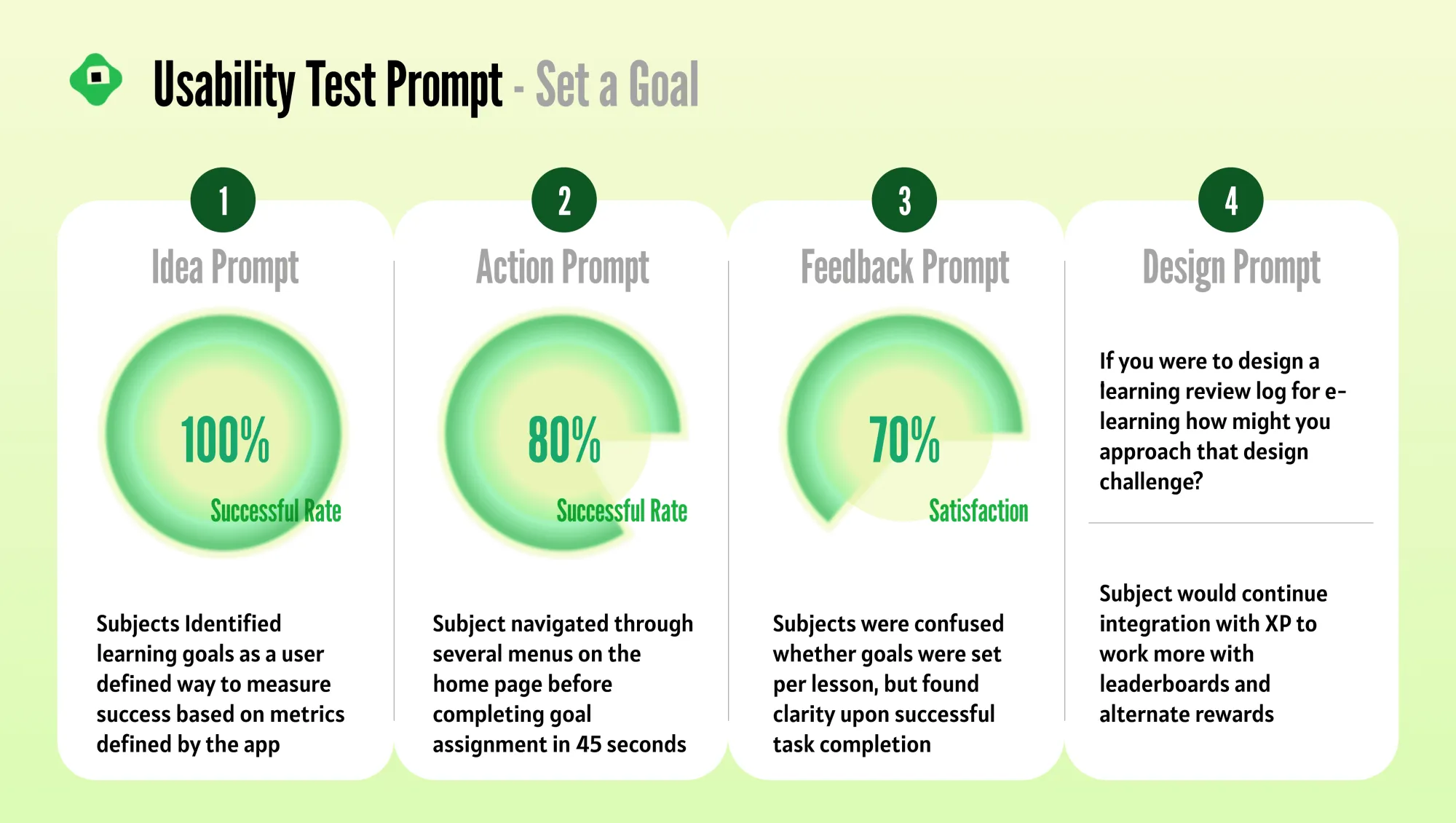
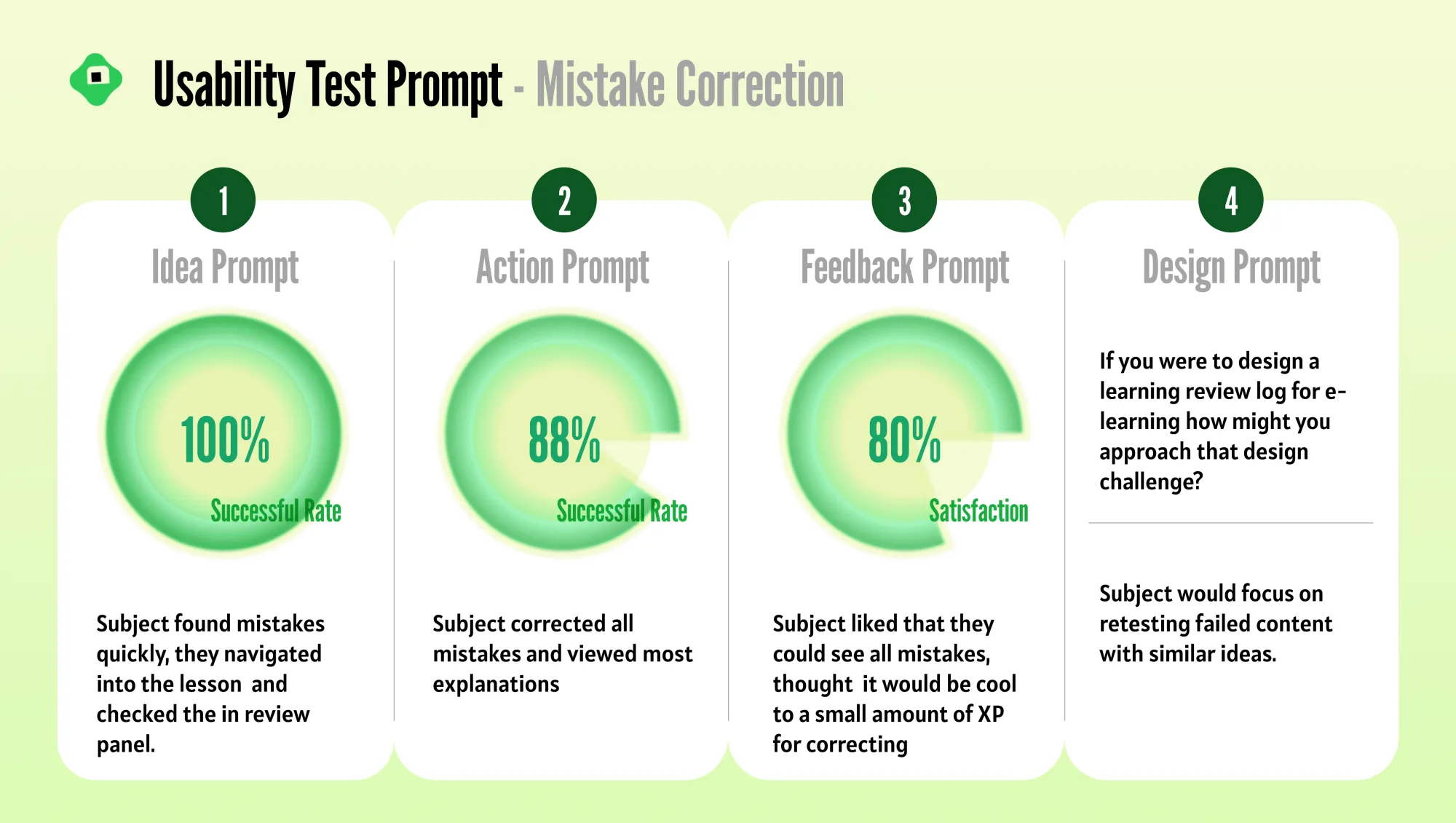
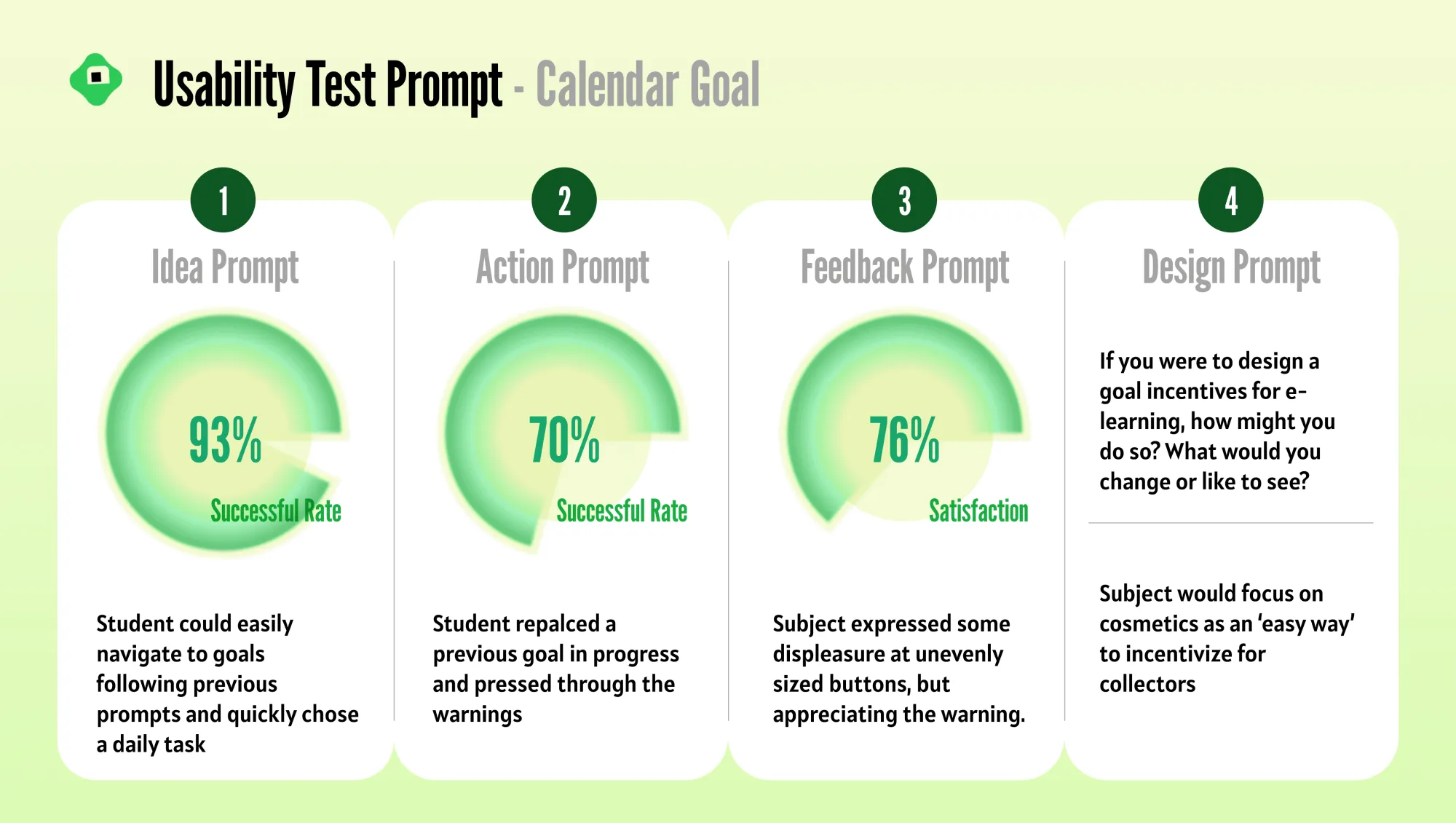
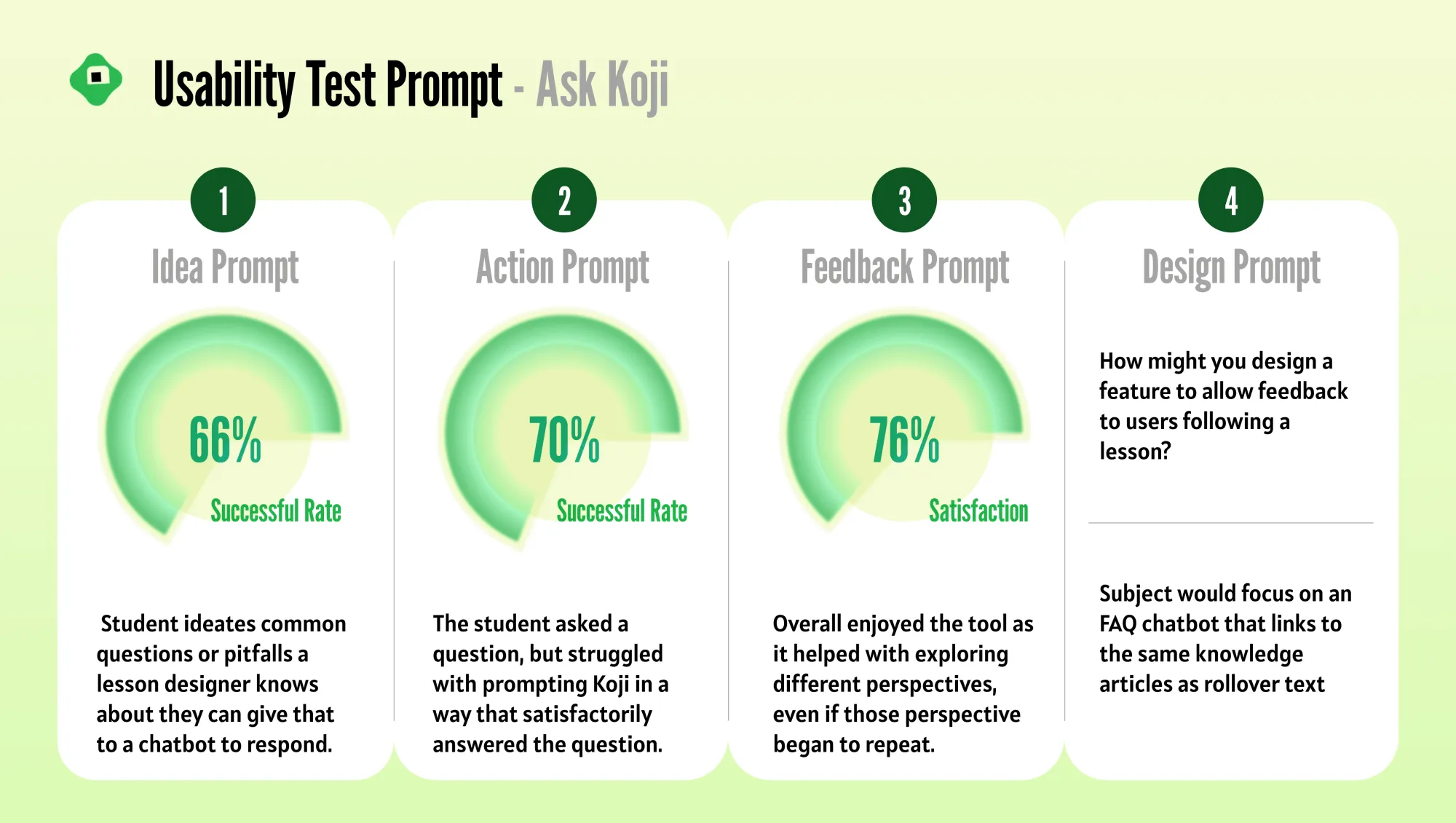
Usability tests
Testing task completion and navigation.
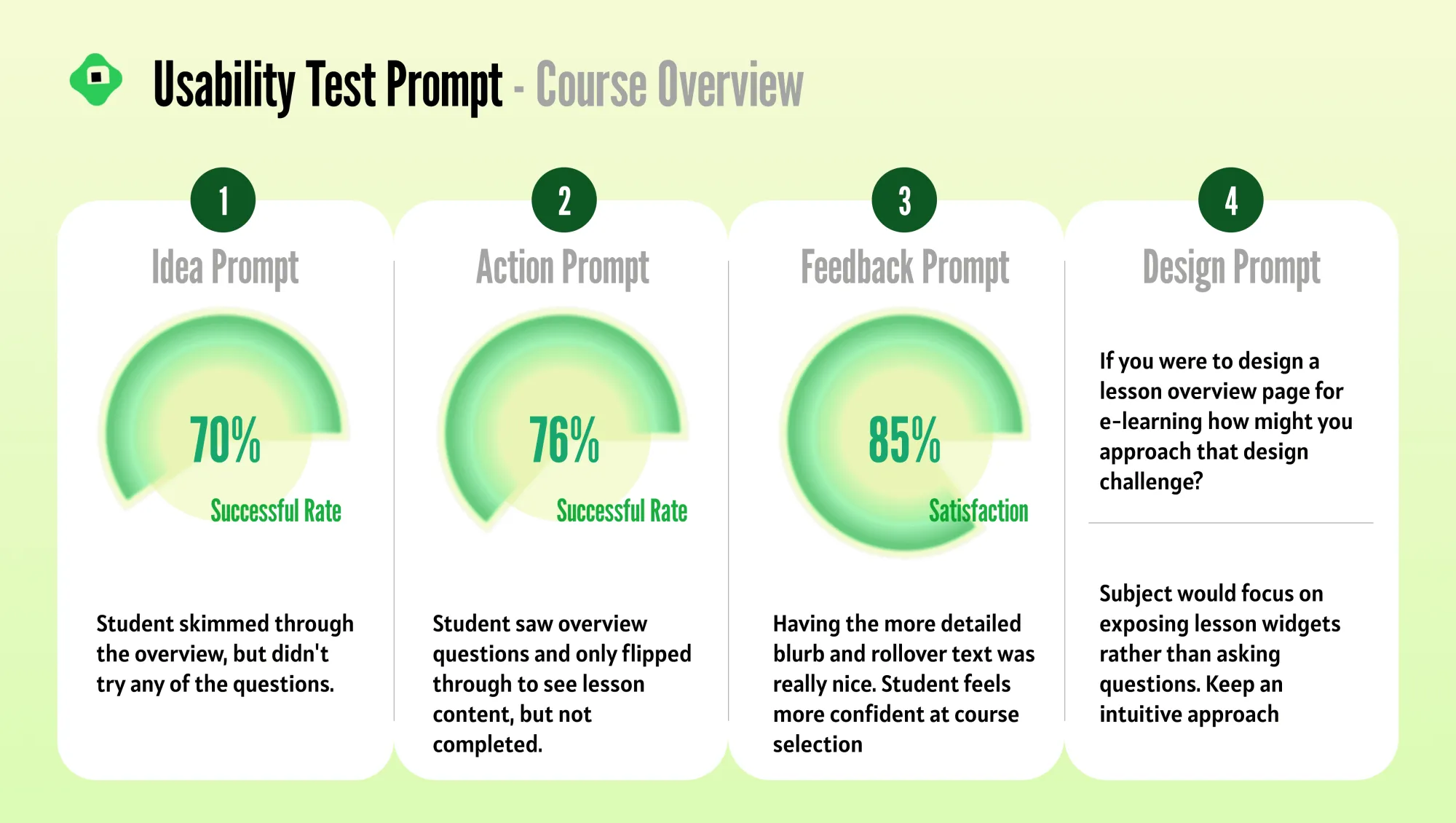
Outcome
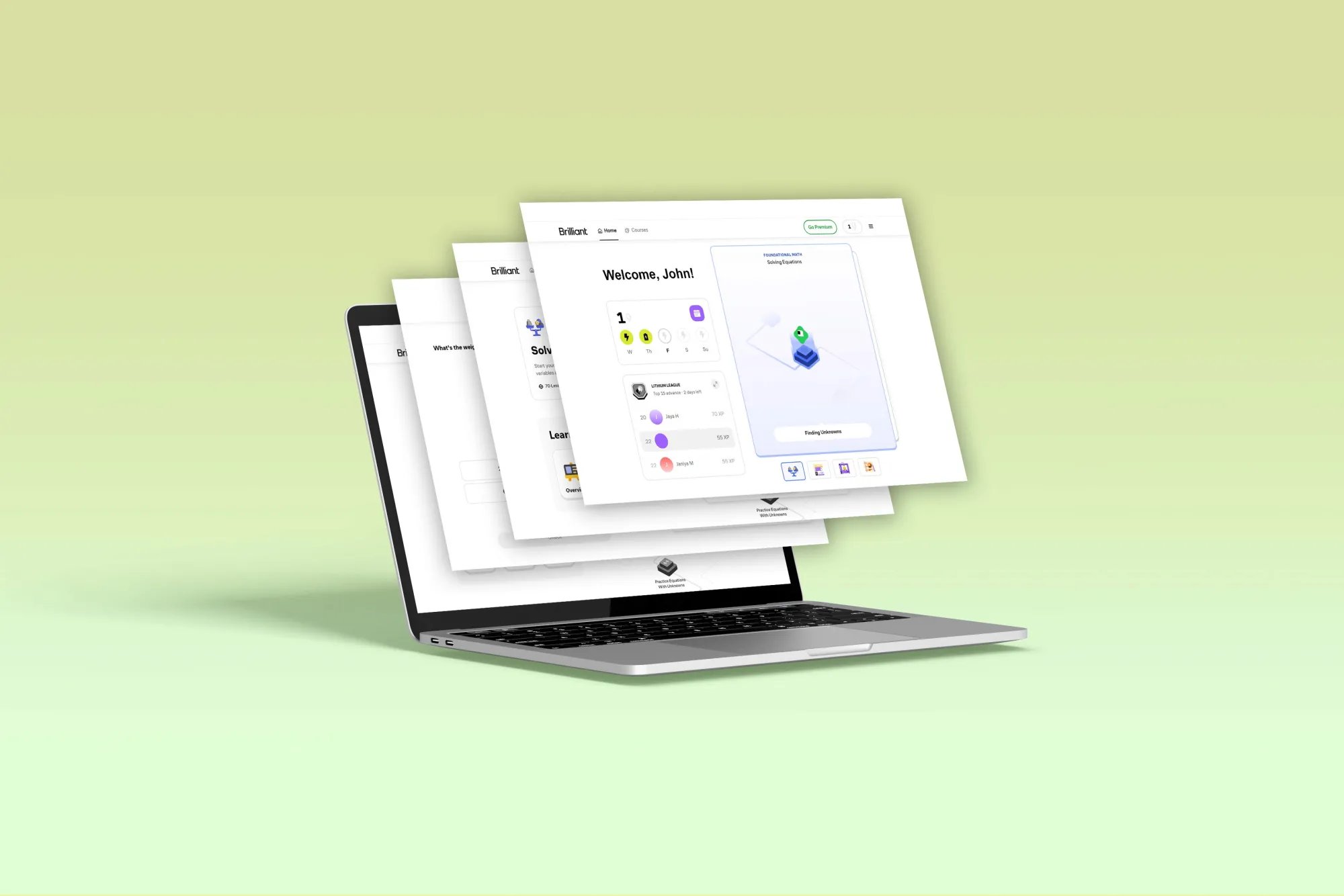
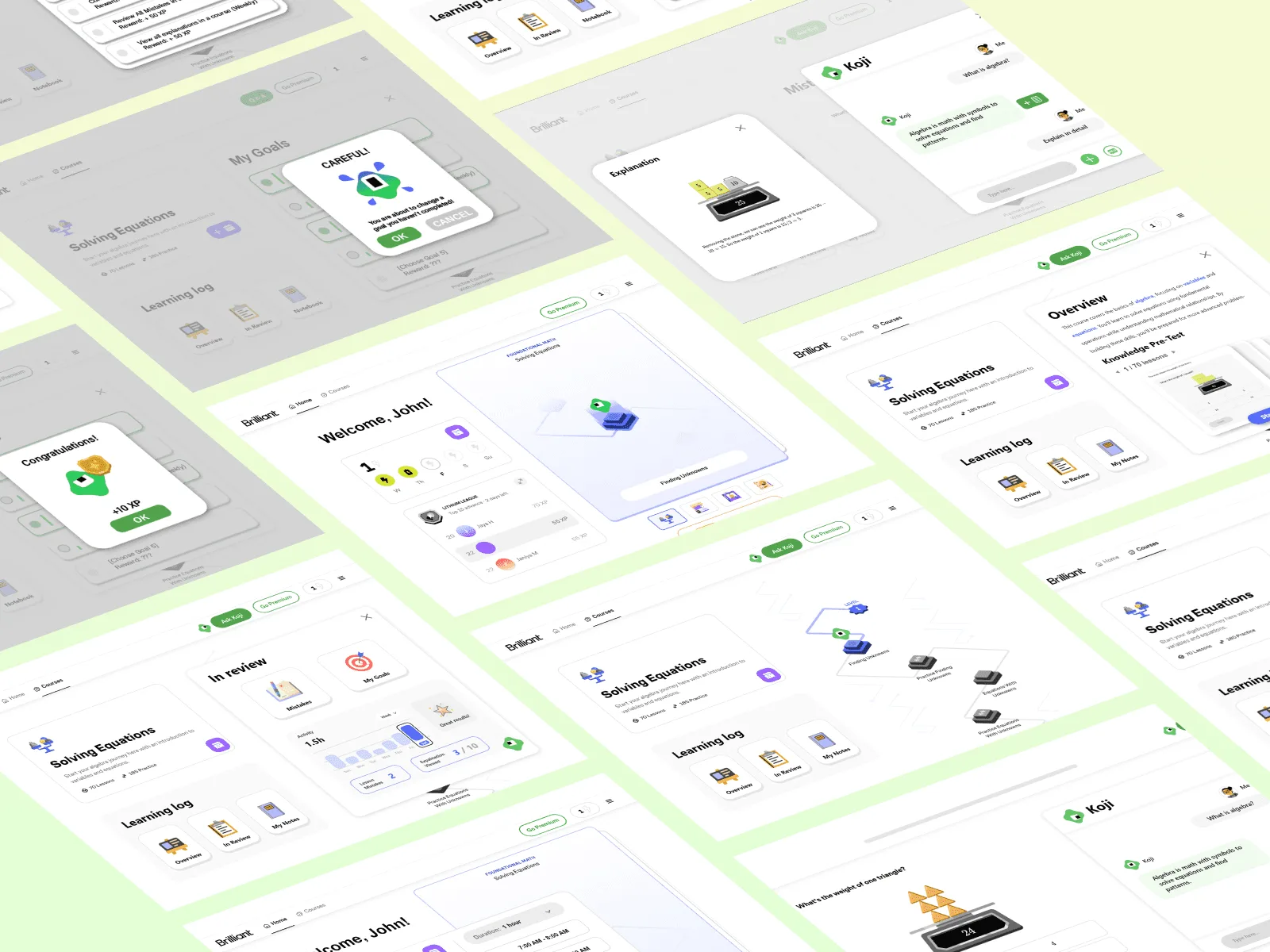
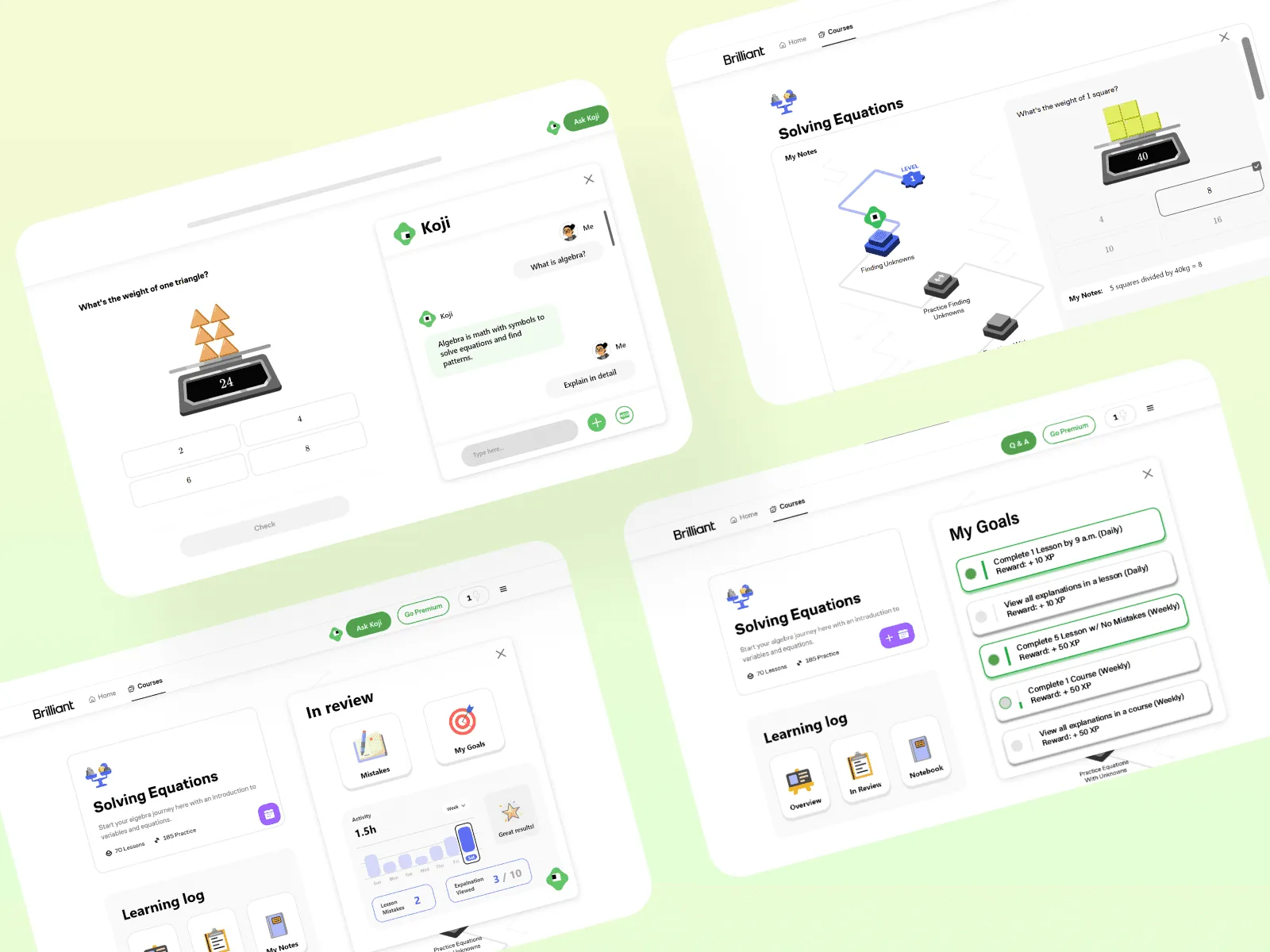
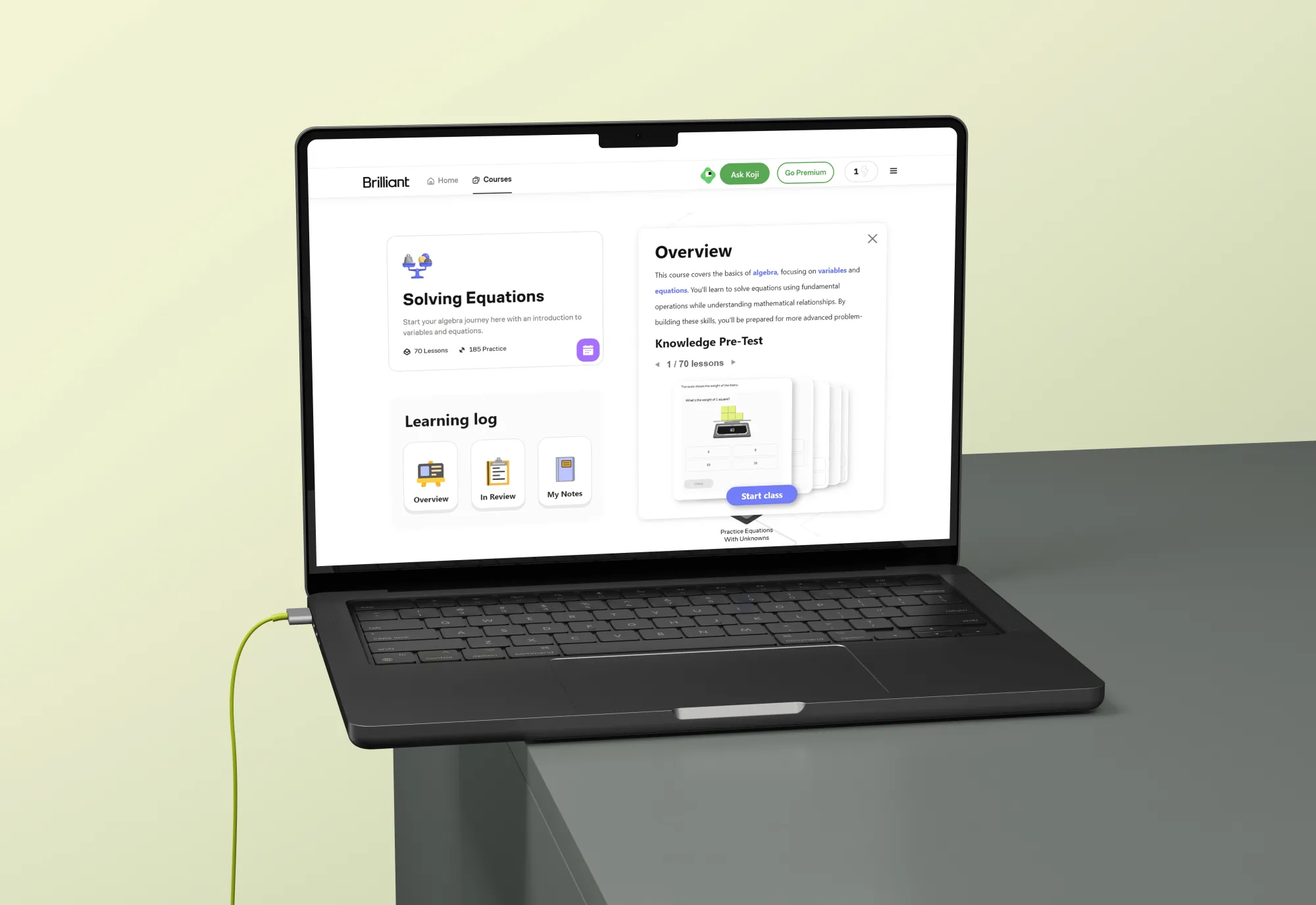
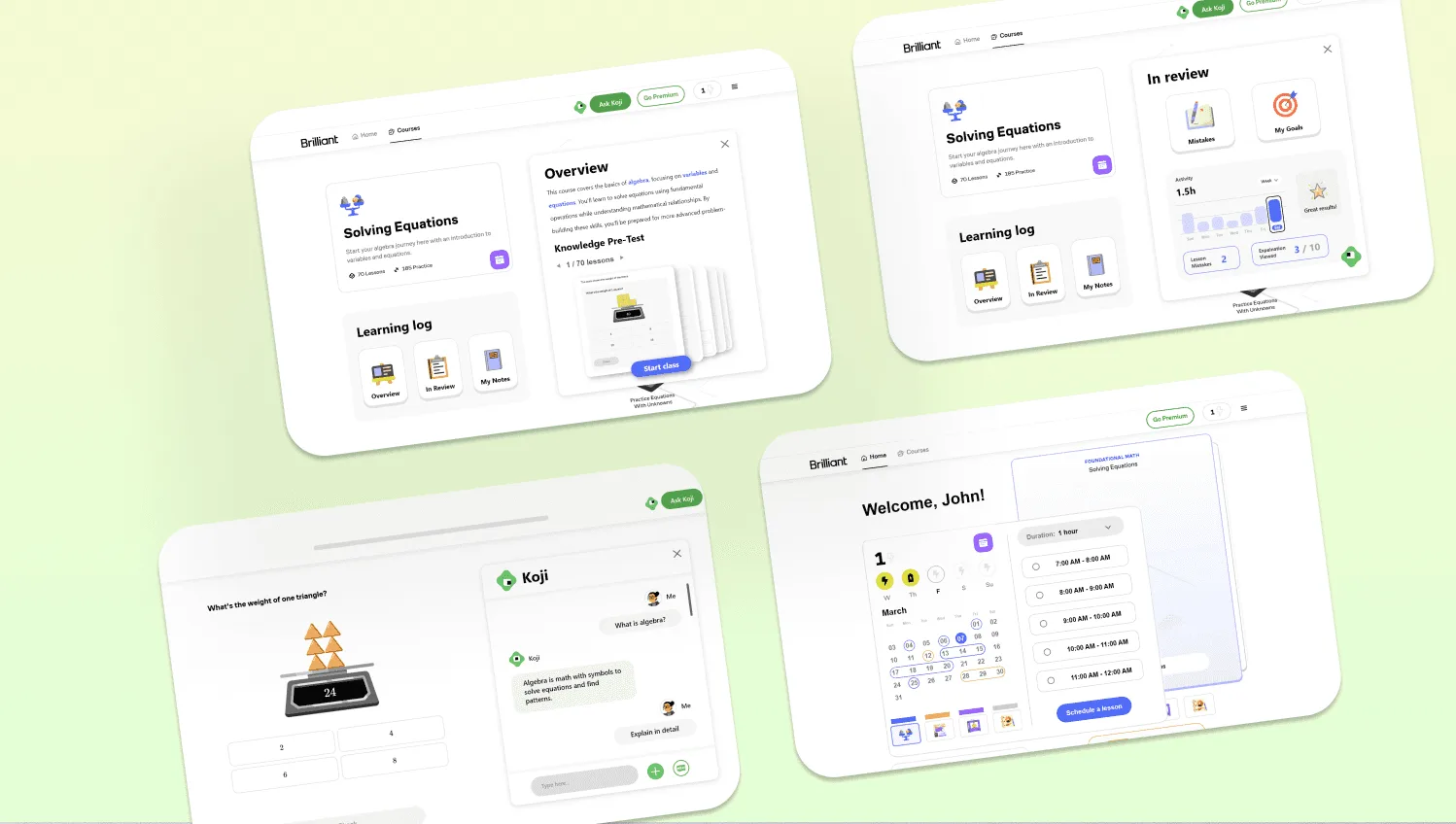
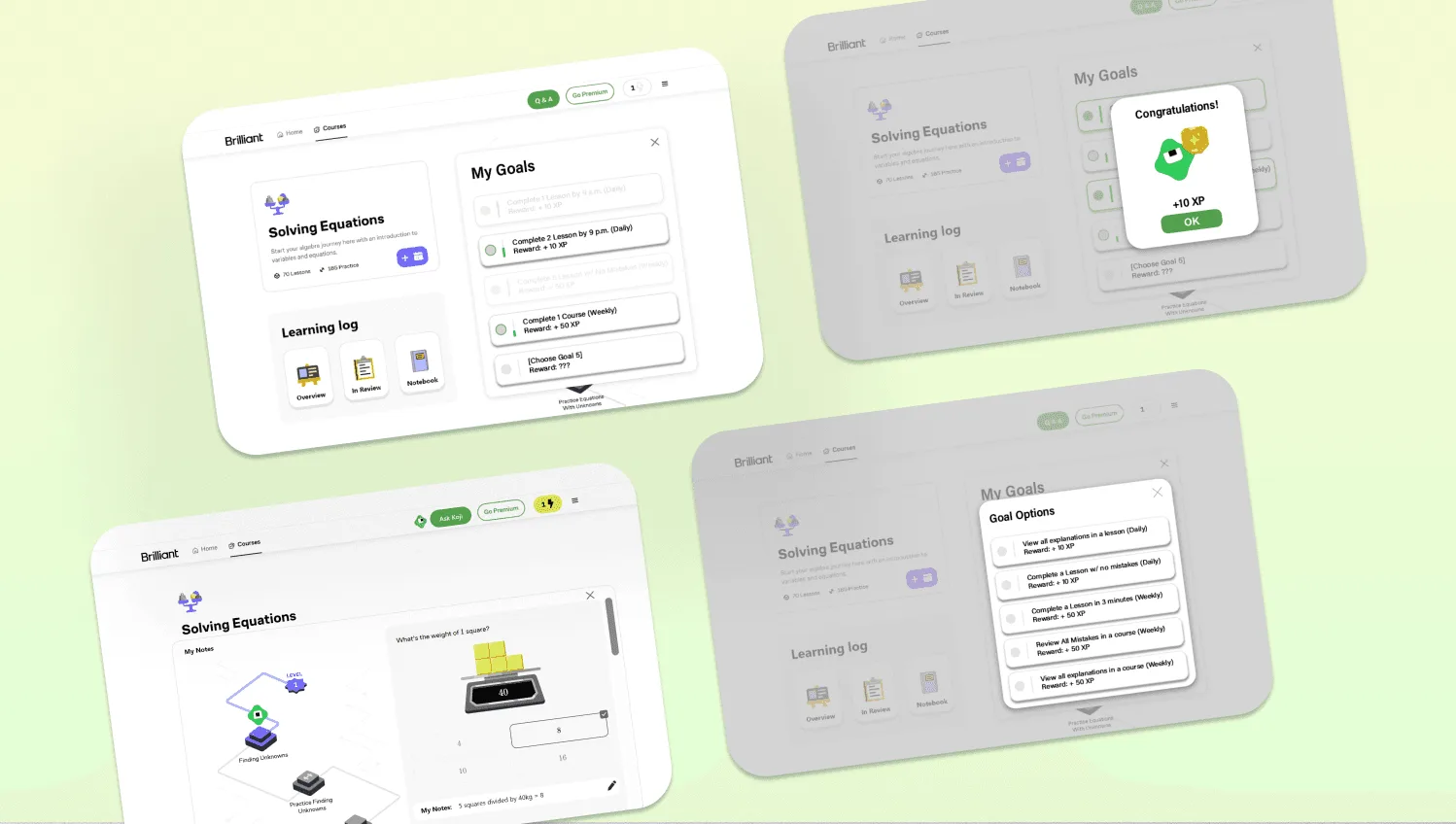
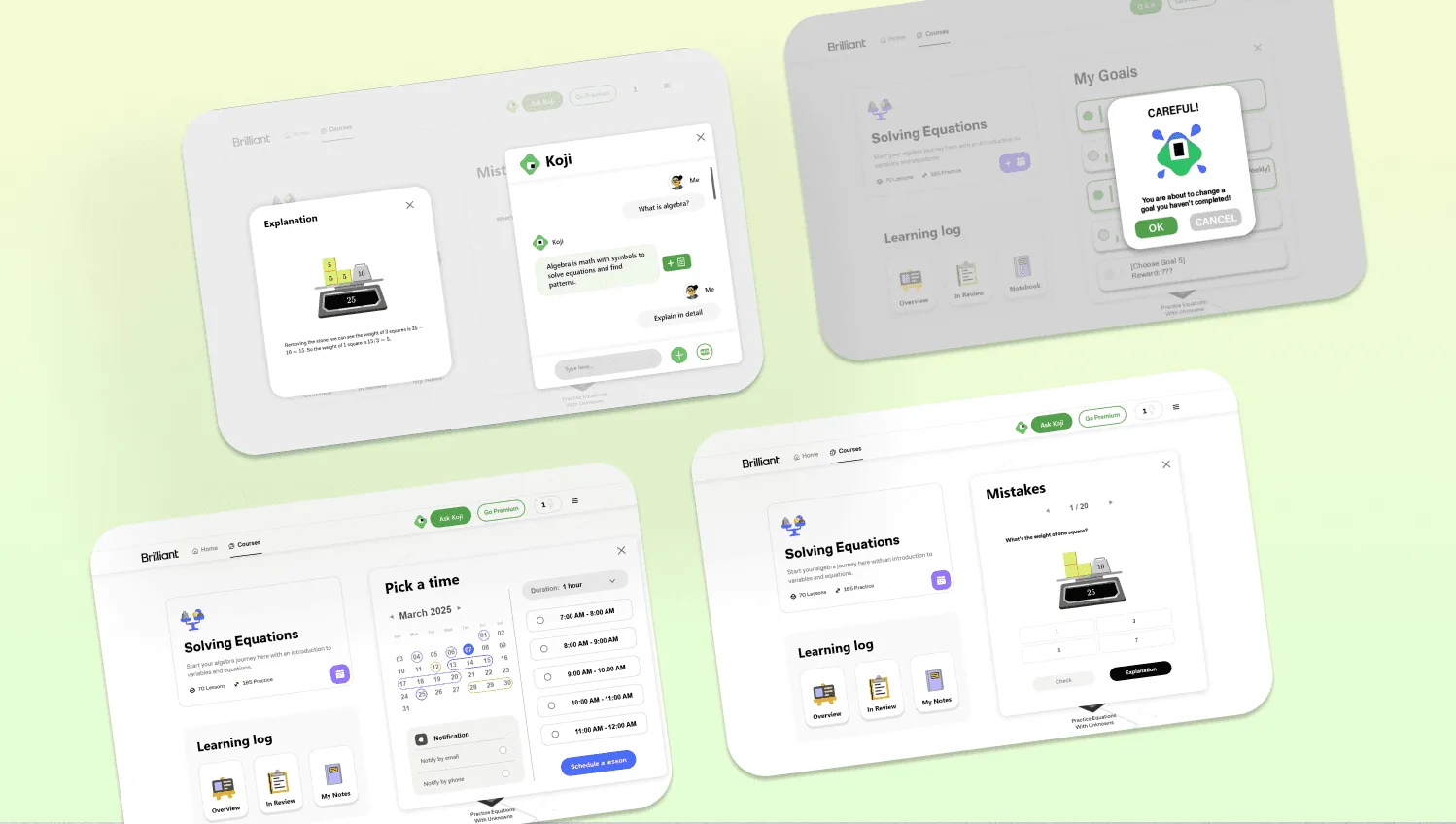
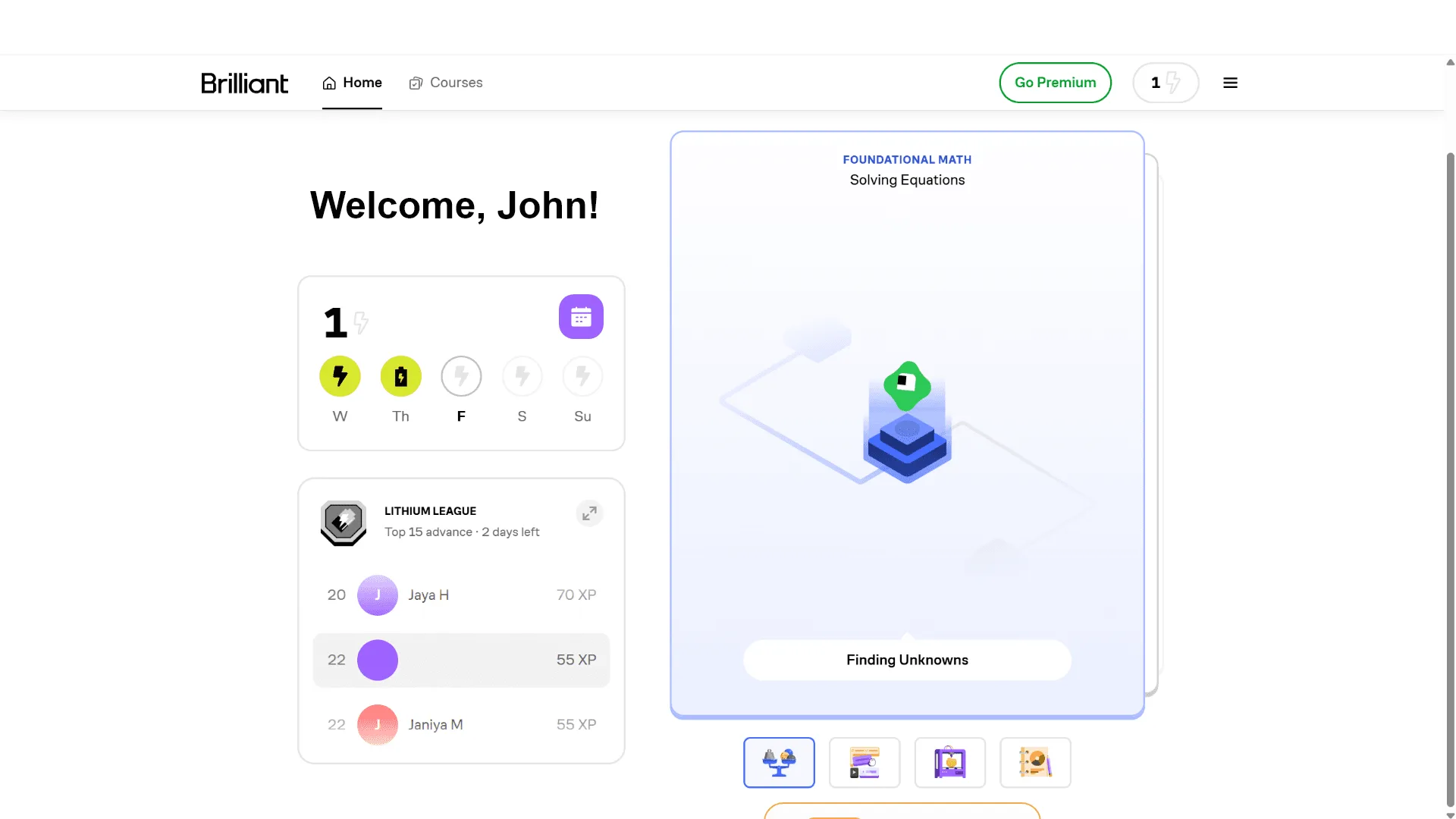
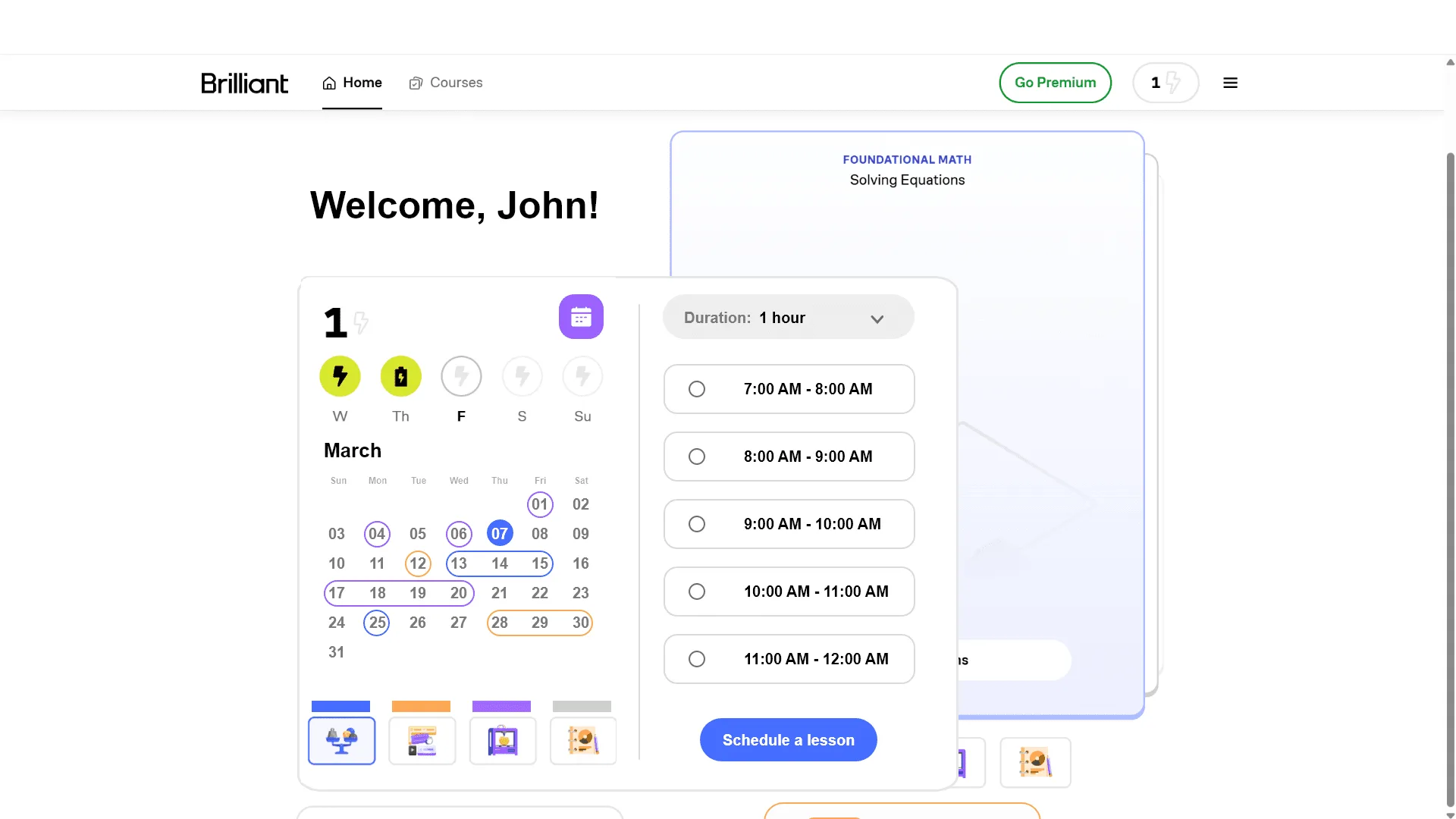
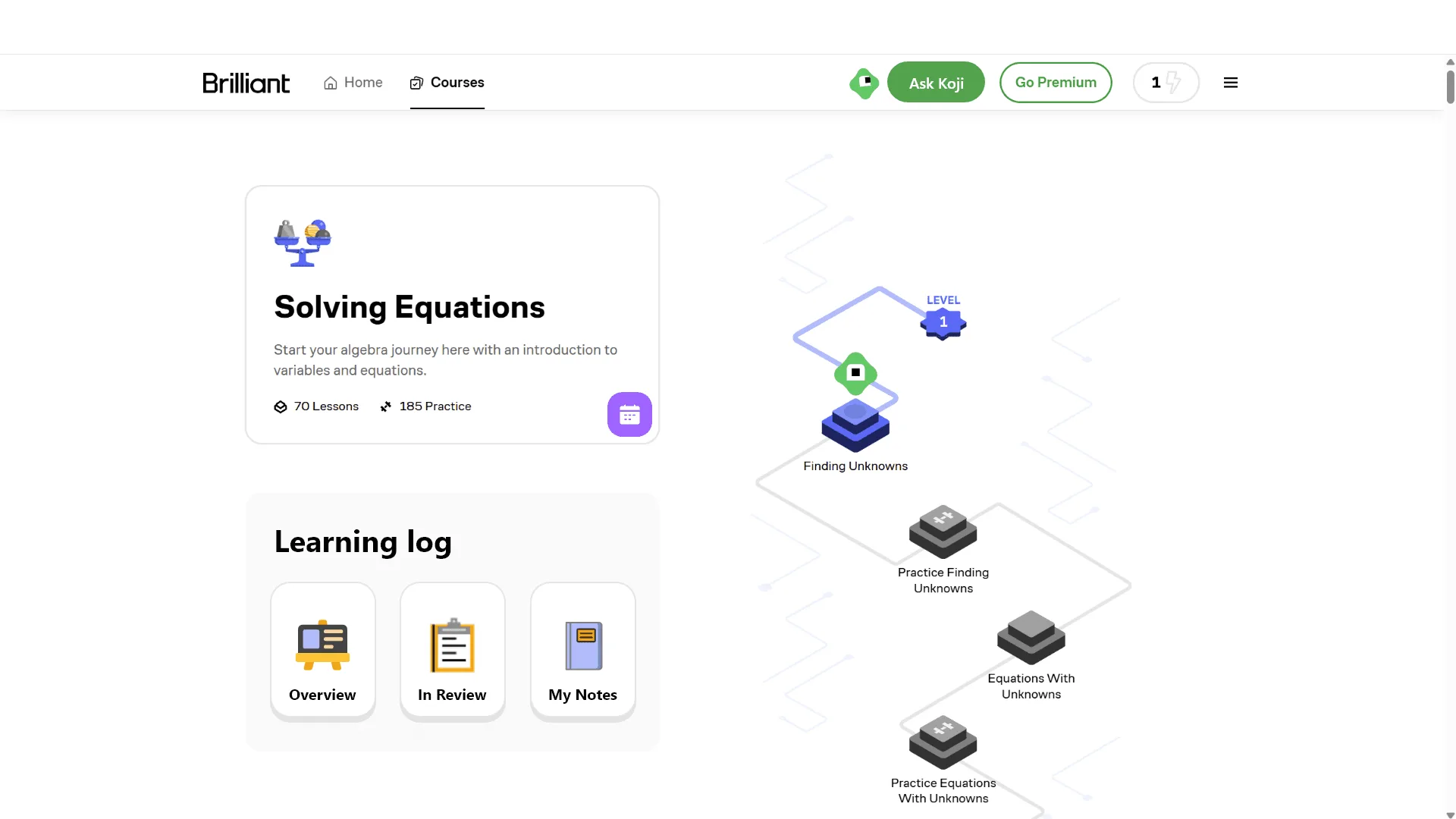
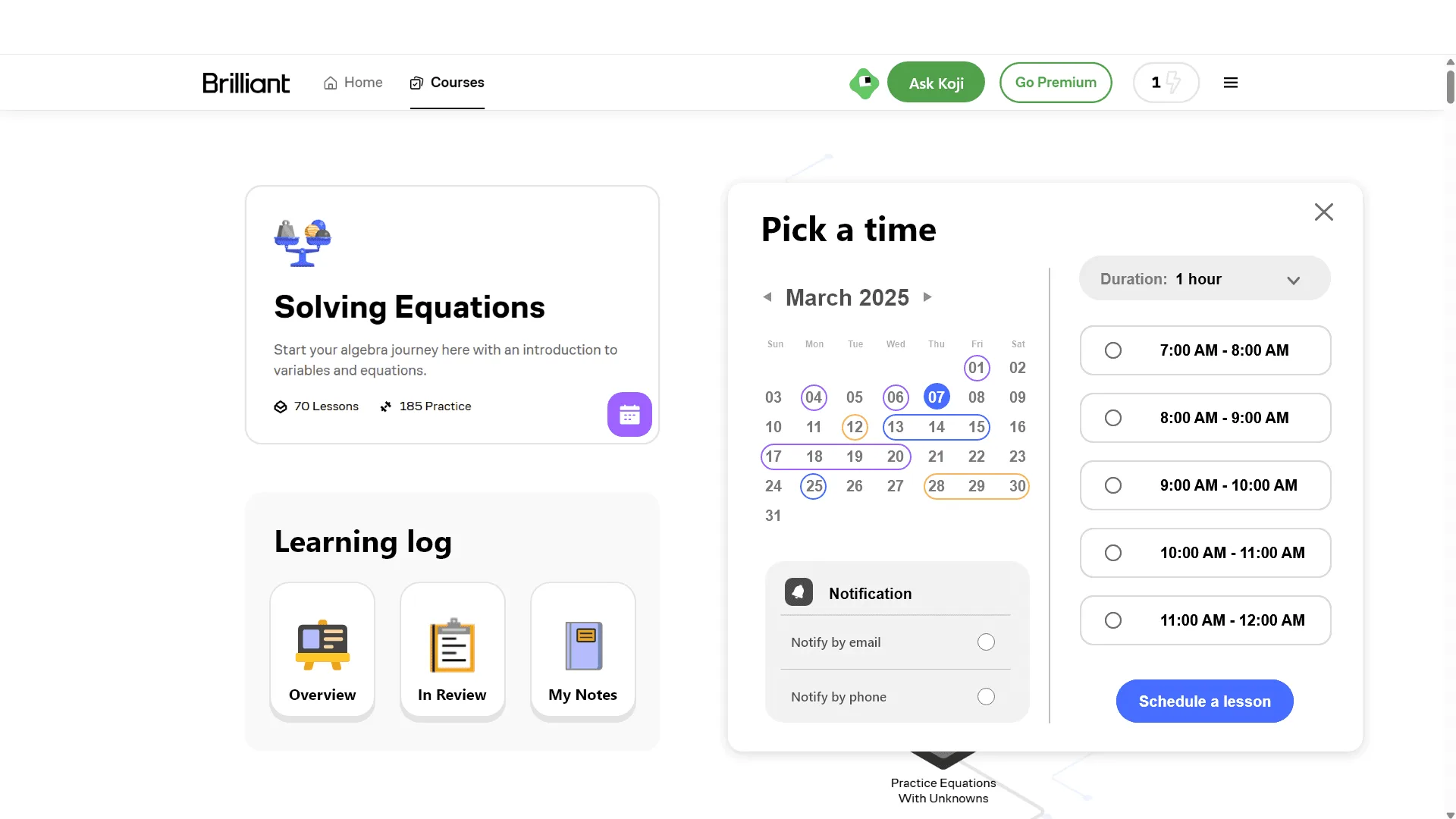
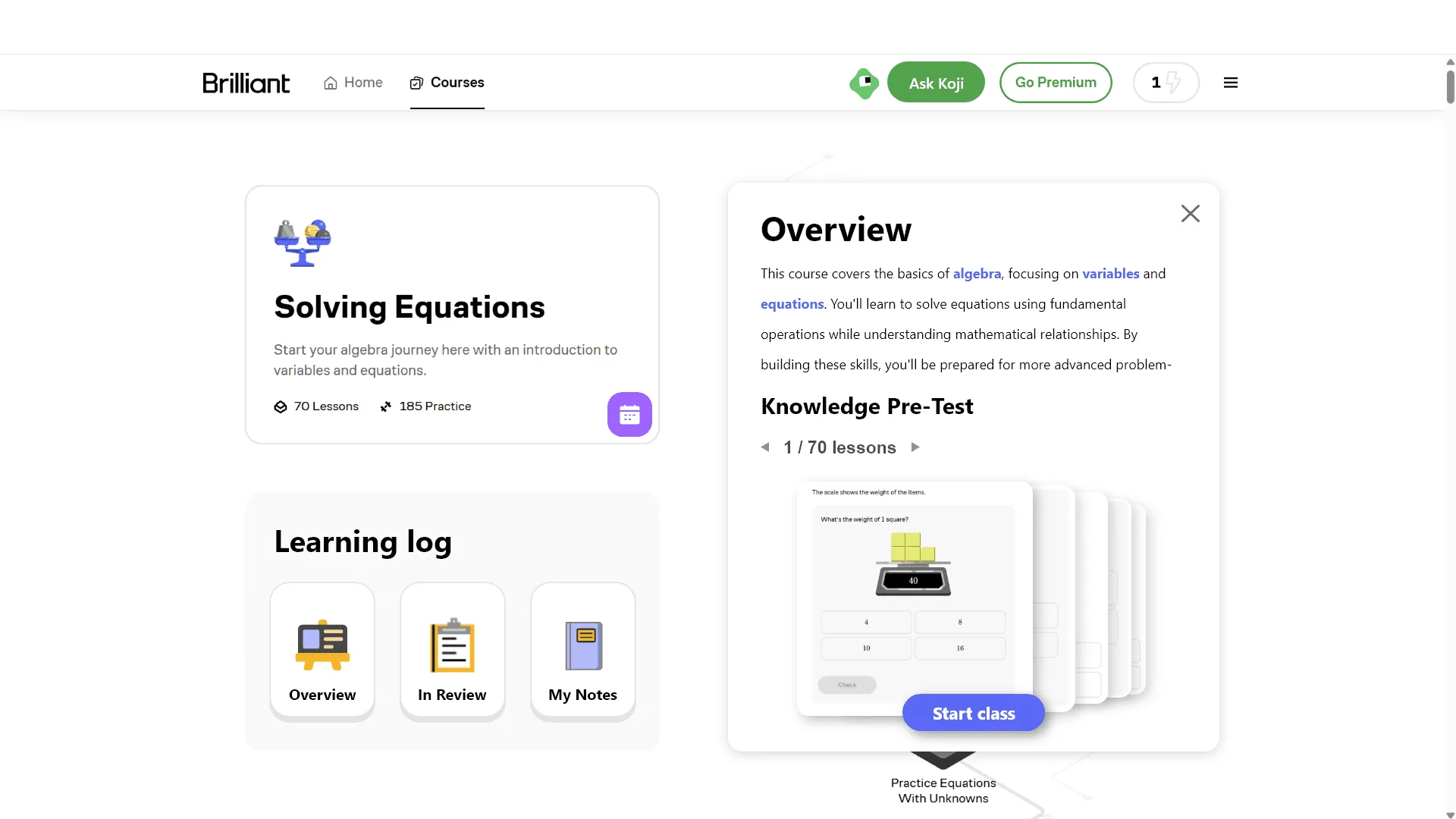
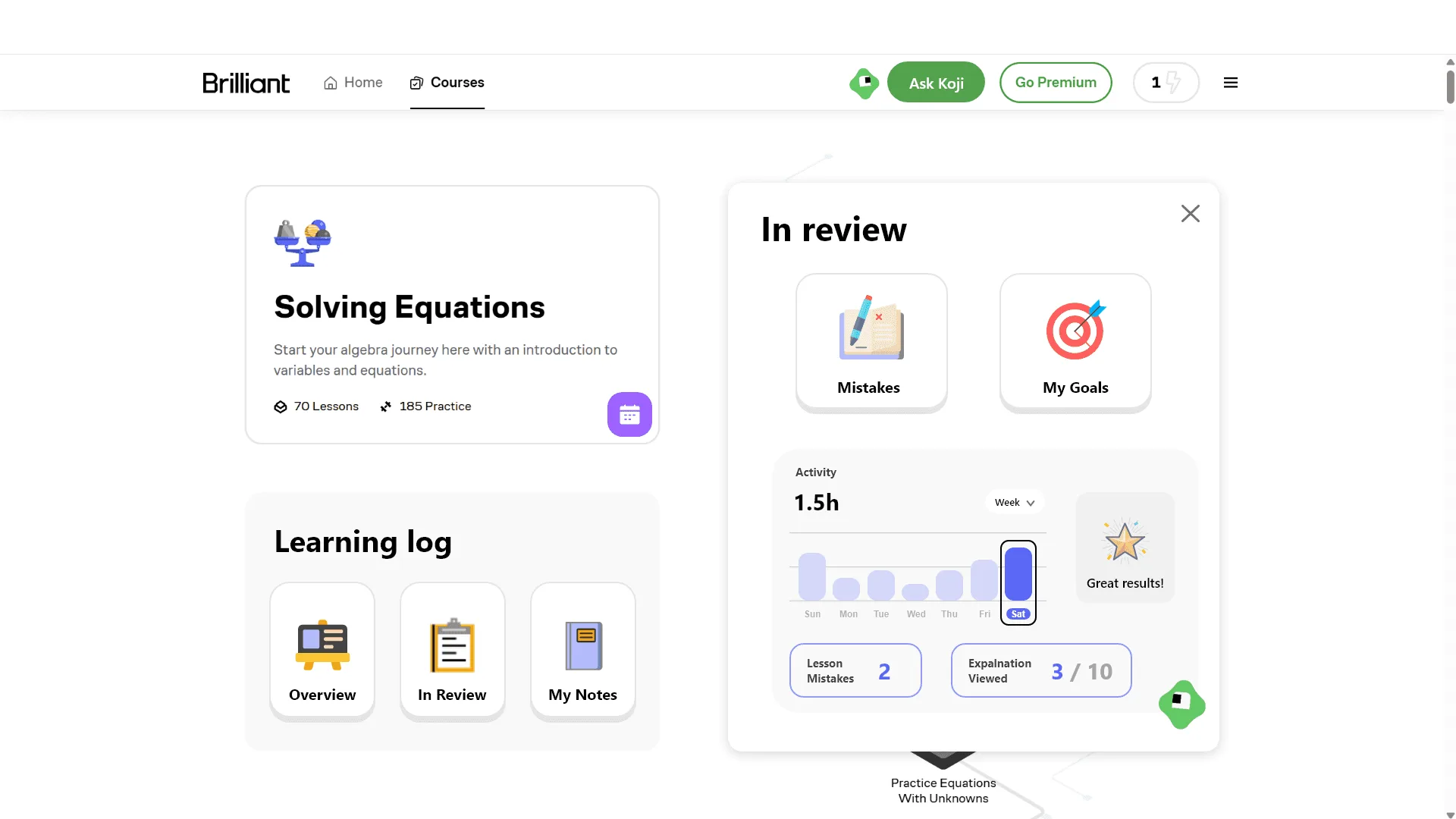
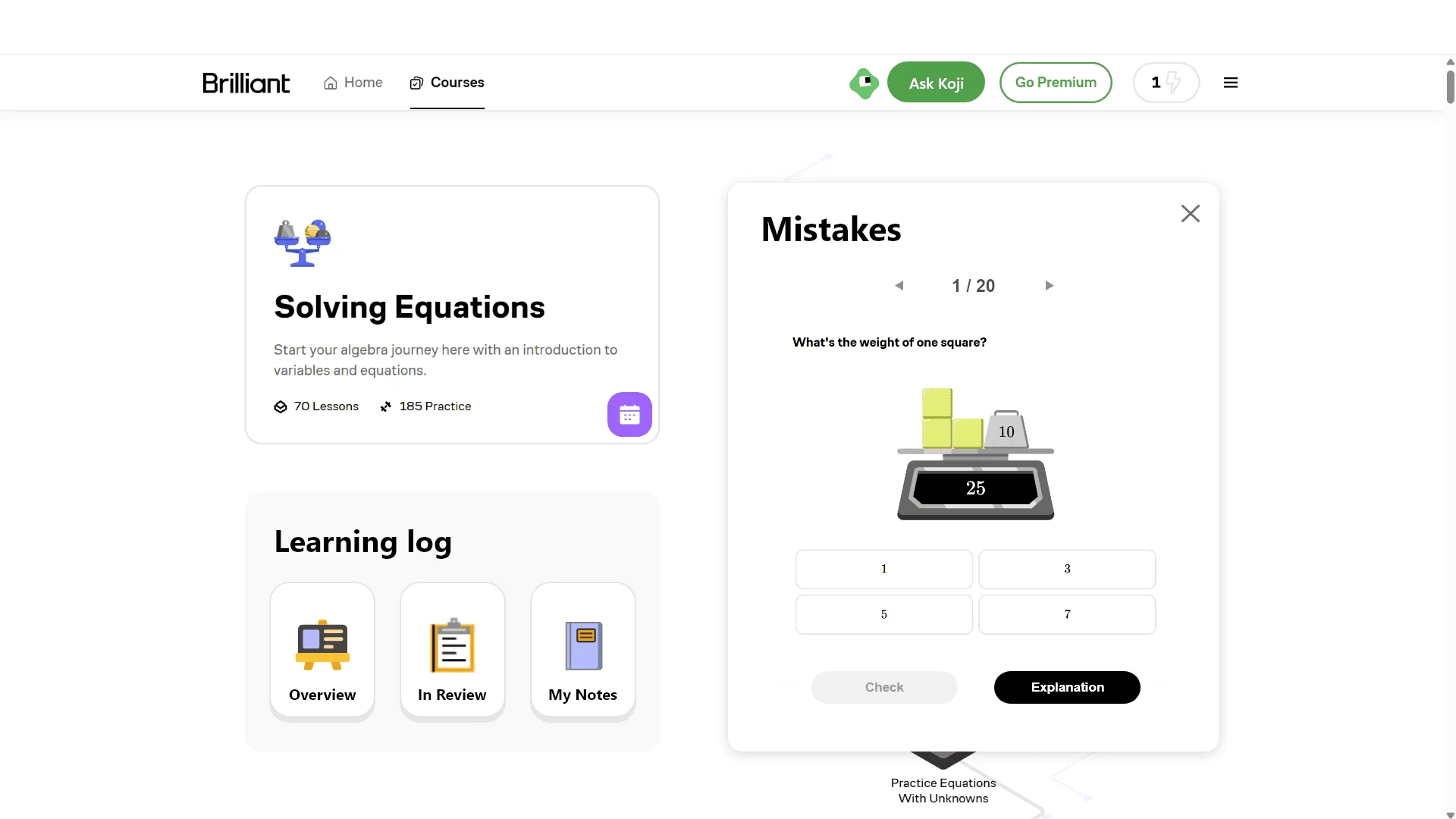
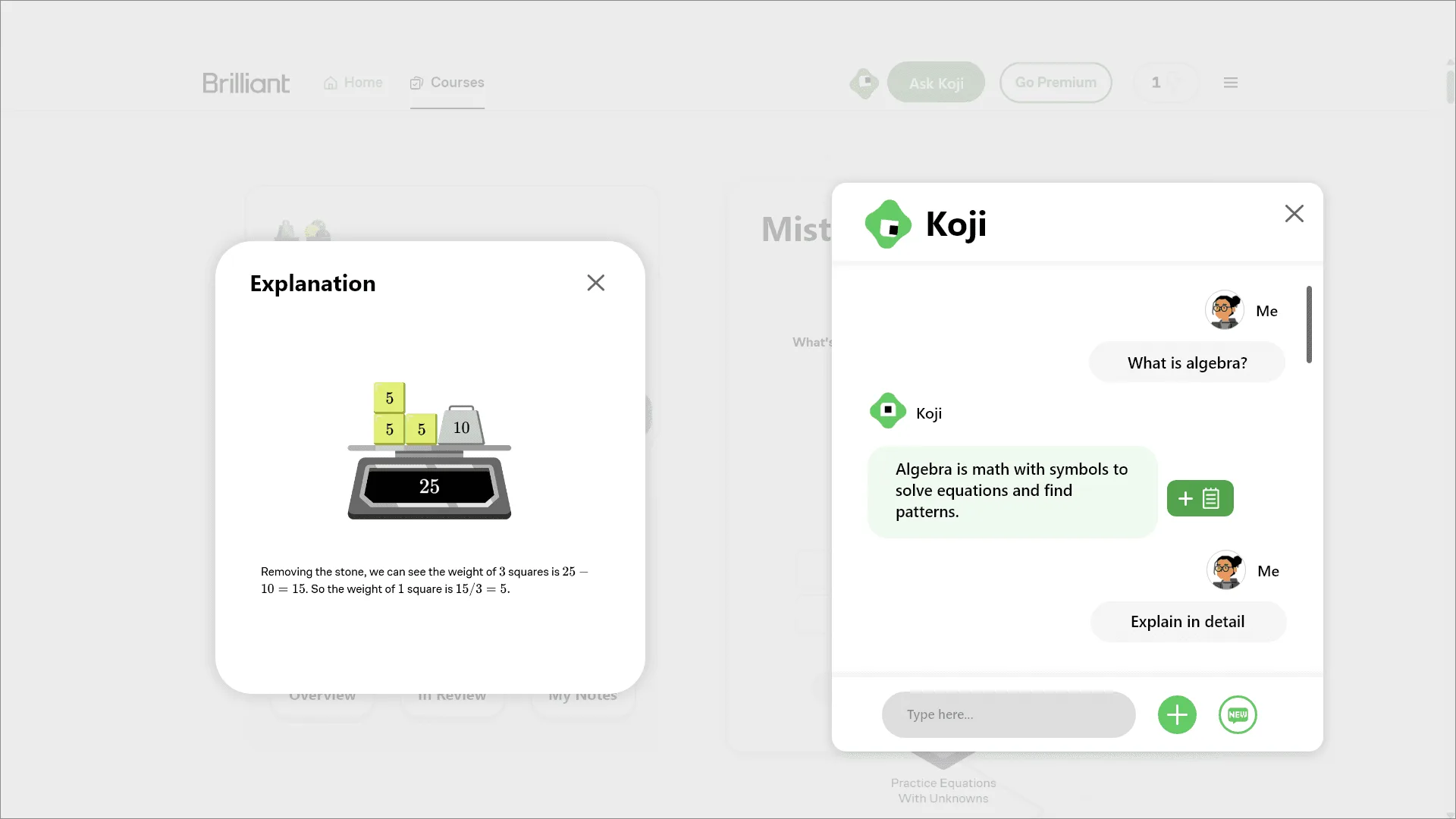
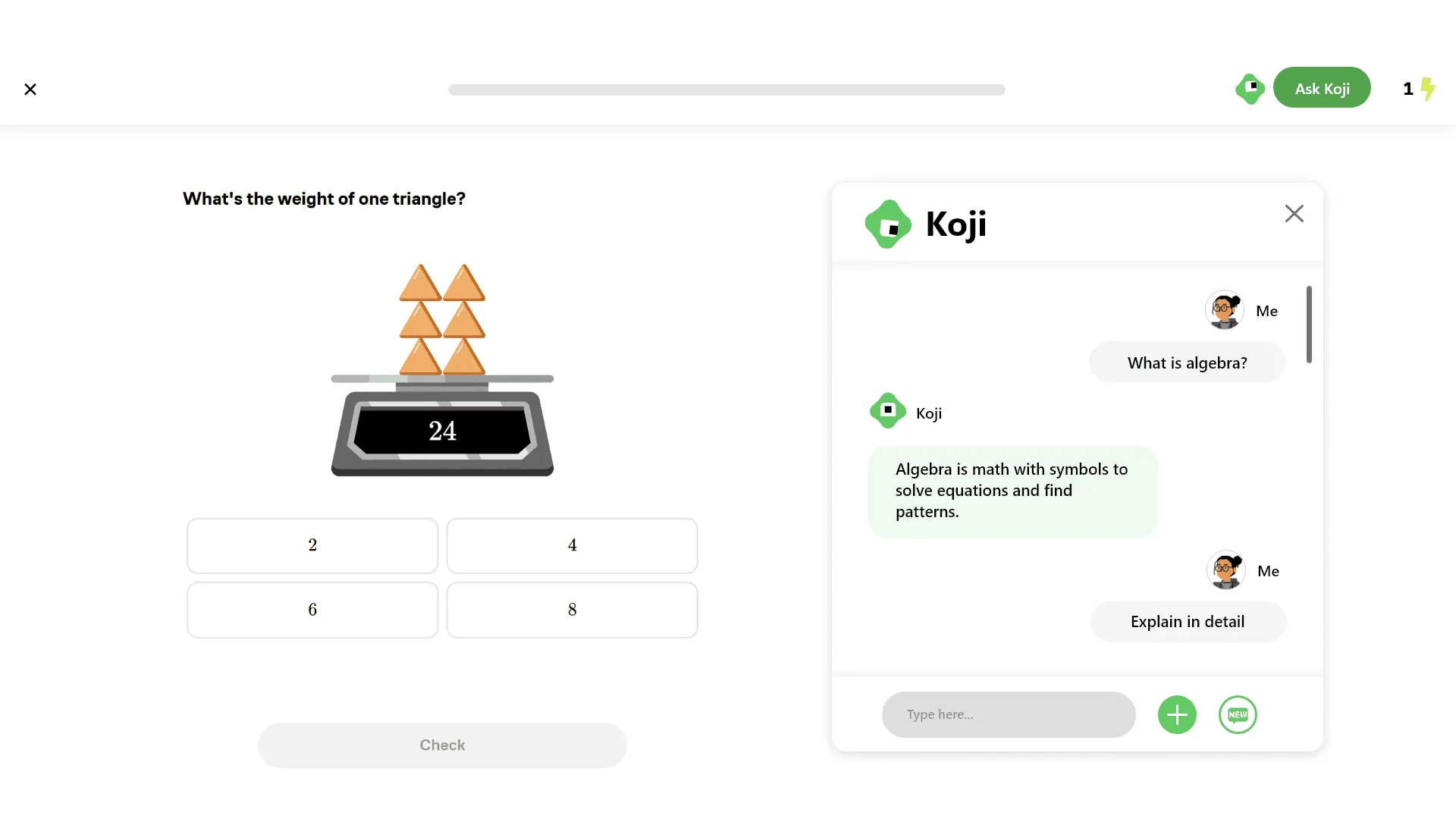
The final design.
More images
DRAG TO EXPLORE · CLICK TO ENLARGE
Next project
SwiftHome
View case study